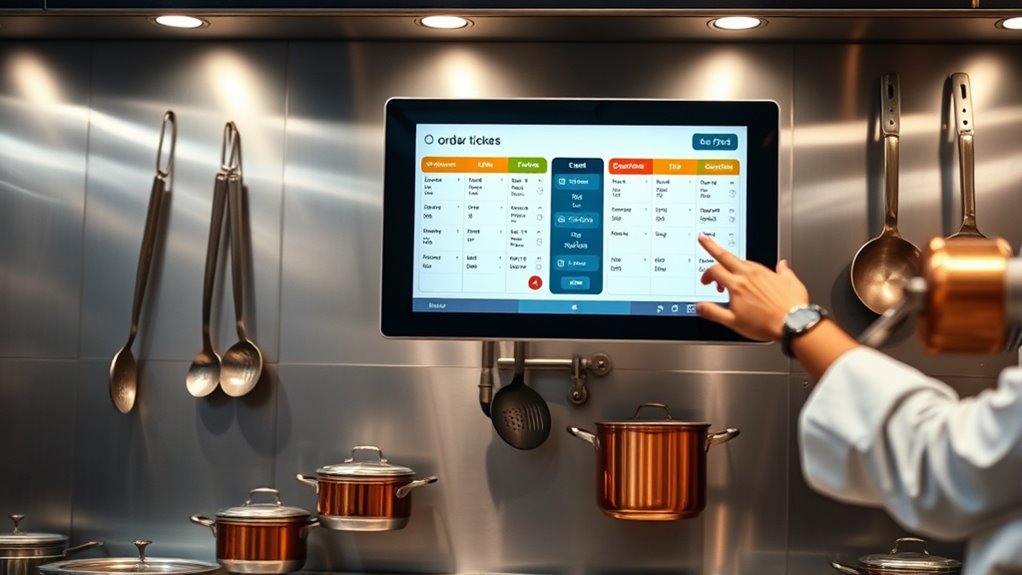

A Kitchen Display System (KDS) is a digital tool that helps you streamline communication between servers and the kitchen by replacing paper tickets with real-time, organized screens. It displays orders instantly, reducing errors and keeping everyone on the same page. The system improves efficiency, updates orders automatically, and highlights special requests, leading to faster, more accurate service. If you keep exploring, you’ll discover how a KDS can transform your kitchen operations even further.
Key Takeaways
- A KDS replaces paper tickets with digital screens to display and manage kitchen orders in real time.
- It streamlines order flow, reduces errors, and improves accuracy by providing clear, immediate information to kitchen staff.
- The system organizes and prioritizes orders, highlighting special requests and alerts for delays or urgent items.
- KDS tracks order data, helping analyze peak times and optimize kitchen workflow and staffing.
- It integrates with other management tools to enhance communication, efficiency, and guest satisfaction.
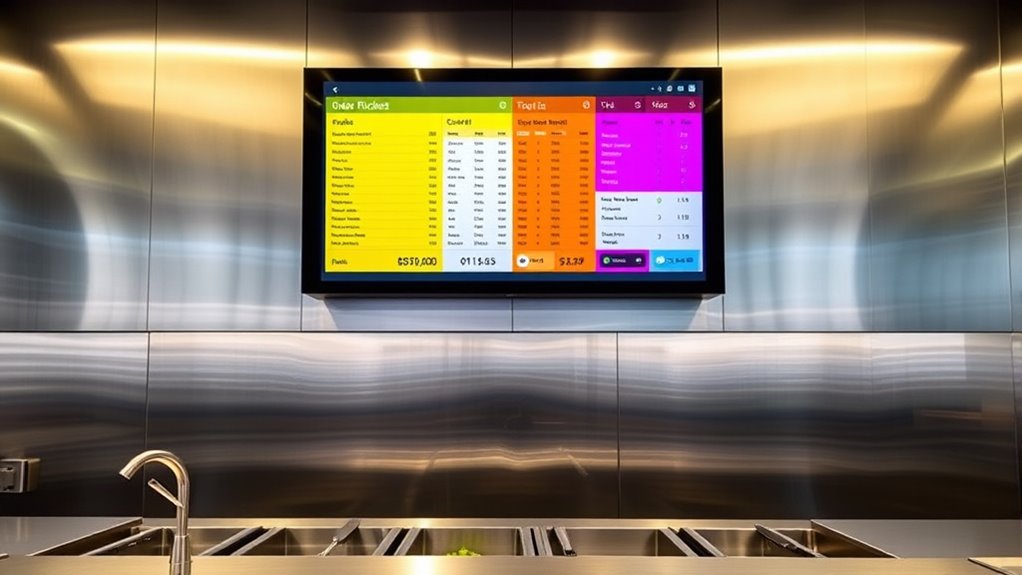
A Kitchen Display System (KDS) is an essential tool that streamlines communication between your kitchen staff and front-of-house team. It replaces traditional paper tickets with digital screens, allowing orders to flow seamlessly from servers to the kitchen. This technology markedly improves order accuracy, reducing mistakes caused by handwritten notes or miscommunication. When orders are entered into the POS system, they automatically appear on the KDS, ensuring that your kitchen receives precise, real-time information about each guest’s request. As a result, you can trust that orders are prepared exactly as intended, which enhances guest satisfaction and minimizes food waste due to errors.
Implementing a KDS also boosts staff efficiency by eliminating the need for physical ticket handling. Instead of sorting through stacks of paper tickets or relying on verbal instructions, your kitchen staff can focus on preparing food without interruption. The digital display clearly organizes orders, often by table or course, so your team can prioritize tasks effectively. This streamlining reduces confusion and helps prevent overlooked or forgotten orders, leading to faster service times. Additionally, because the system updates instantly with any modifications or cancellations, your staff can adapt quickly, maintaining a smooth workflow during busy periods.
A KDS streamlines order management, reducing errors and keeping your kitchen workflow smooth and efficient.
Another advantage of a KDS is its ability to improve communication between front-of-house and kitchen staff. When servers place an order, it appears immediately on the display, which can be monitored by the kitchen team. If there’s a special request or dietary restriction, it’s visible at a glance, ensuring everyone is on the same page. This transparency minimizes misunderstandings and enhances coordination, ultimately leading to higher order accuracy. Plus, many KDS platforms include alerts or notifications for delayed or urgent orders, helping your staff respond promptly and prioritize efficiently.
Moreover, a KDS offers valuable insights through reporting features. You can track order times, identify bottlenecks, and analyze peak hours. This data helps you optimize staffing levels and workflow, further improving staff efficiency. You’ll spend less time troubleshooting errors and more time focusing on delivering quality food and service. Over time, these improvements contribute to a more organized, responsive kitchen environment that can handle busy service periods with ease.
Additionally, integrating a KDS with other kitchen management tools can further streamline your operations and improve overall productivity.
In essence, a KDS transforms the way your kitchen operates by improving order accuracy and boosting staff efficiency. It creates a streamlined, transparent communication system that supports your team in delivering faster, more precise service. With digital screens guiding every step of the food preparation process, you’ll notice fewer mistakes, happier staff, and more satisfied guests.
Frequently Asked Questions
How Does a KDS Integrate With Existing Restaurant POS Systems?
You connect a KDS to your existing POS system through seamless integration, allowing for instant order synchronization. This setup automatically updates orders directly from your POS, reducing errors and speeding up service. Menu integration guarantees the KDS displays accurate, real-time menu items, modifications, and special requests. By linking these systems, you streamline operations, improve communication between front and back of house, and enhance overall efficiency in your restaurant.
Can a KDS Be Customized for Different Kitchen Workflows?
Absolutely, a KDS can be customized for your kitchen workflow and layout. You get to play chef and tailor the display to match how your kitchen operates—whether that’s station-specific screens or a streamlined, open-concept setup. It’s like giving your kitchen a personal stylist, ensuring every order flows smoothly, no matter how crazy your kitchen gets. Who knew tech could be so adaptable and fun?
What Are the Hardware Requirements for Implementing a KDS?
You need compatible hardware like durable tablets or screens with good hardware compatibility to implement a KDS. Confirm your devices support your system’s software requirements and can handle system scalability as your kitchen grows. Additionally, reliable network equipment, such as routers and switches, are essential for seamless operations. Opt for hardware that’s easy to maintain and upgrade, so your KDS remains efficient and adaptable to evolving kitchen workflows.
How Does a KDS Improve Order Accuracy and Reduce Wait Times?
A KDS improves order accuracy and reduces wait times by streamlining communication between your front and back of house. You get real-time updates that boost order efficiency, ensuring orders are prepared correctly the first time. This minimizes errors, speeds up service, and keeps your kitchen running smoothly. As a result, customers experience quicker service, and your staff can focus on delivering quality meals without confusion or delays.
Is Training Required for Staff to Effectively Use a KDS?
Yes, staff training is essential for effective use of a KDS. You need to guarantee your team understands how to operate the system confidently to achieve maximum user proficiency. Proper training helps reduce errors, speeds up order processing, and minimizes confusion in the kitchen. Investing time in staff training guarantees everyone can navigate the KDS smoothly, ultimately improving overall efficiency and customer satisfaction.
Conclusion
A Kitchen Display System helps you streamline your kitchen operations, making orders clearer and faster to prepare. It reduces errors, improves communication, and boosts efficiency. Embracing new technology can feel overwhelming, but remember, “A journey of a thousand miles begins with a single step.” With a KDS, you take that step toward smoother service and happier customers. So, give it a try and watch your kitchen run more smoothly every day.