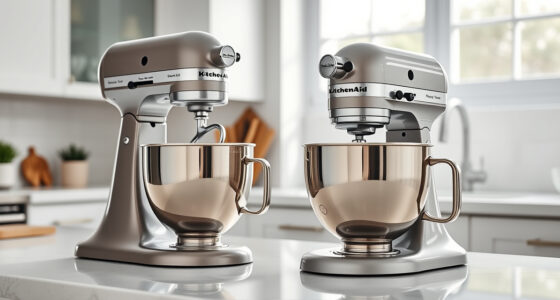

If your KitchenAid Artisan Series 5 Quart Tilt Head Stand Mixer is making a grinding noise, it can be alarming and disrupt your baking routine. Fortunately, many issues are simple to diagnose and fix. This guide walks you through common causes and practical solutions to restore quiet, efficient operation.

Get kitchen staples and gadgets delivered free with Prime
- Fast, free delivery on millions of items
- Prime Video, Amazon Music and more included
- Member-only deals all year
Before attempting repairs, always ensure the mixer is unplugged for safety. Regular maintenance and proper usage can prevent many noise-related problems and extend your mixer’s lifespan.
Key Takeaways
| Identify the noise source | Grinding sounds often originate from the gears, motor, or attachments. |
| Check for debris or obstructions | Foreign objects or dried ingredients can cause grinding noises. |
| Inspect the gears and transmission | Worn or damaged gears may need replacement. |
| Ensure proper attachment installation | Misaligned or loose attachments can produce abnormal sounds. |
| Routine maintenance helps prevent issues | Regular cleaning and lubrication reduce noise and wear. |
Step 1: Unplug and Inspect the Mixer
- Unplug your KitchenAid mixer to ensure safety.
- Remove the attachment (e.g., flat beater, dough hook) and check for any debris or dried ingredients inside the attachment hub or around the gears.
- Visually inspect the attachment and the bowl area for foreign objects that might cause grinding.
Step 2: Examine the Gears and Transmission
- Remove the mixer’s head by tilting it back carefully.
- Inspect the internal gears for signs of wear, damage, or misalignment.
- If gears appear worn or broken, consider replacing the gear assembly or consulting a professional repair service.
Step 3: Check and Tighten Attachments
- Reattach the attachment securely, ensuring it clicks into place properly.
- Verify that the attachment shaft is aligned and locked into the hub correctly.
- Loose or misaligned attachments can cause grinding noises during operation.
Step 4: Clean and Lubricate Moving Parts
- Clean the attachment hub, gears, and other moving parts with a damp cloth.
- Apply a small amount of food-grade lubricant to the gears if recommended by the manufacturer, avoiding over-lubrication.
- Ensure all parts are dry before reassembling and testing the mixer.
Step 5: Test the Mixer and Monitor
- Plug the mixer back in and run it at a low speed.
- Listen for persistent grinding sounds. If the noise persists, further inspection or professional repair may be needed.
The Products in This Guide

KitchenAid Artisan Series 5 Quart Tilt Head Stand Mixer
- ✔ Weight: 26 pounds
- ✔ Dimensions: 14 x 8 x 14 inches
- ✔ Warranty: 1 year

KitchenAid Stand Mixer Attachment
- ✔ Weight: 4.5 pounds
- ✔ Dimensions: 10 x 8 x 5 inches
- ✔ Warranty: N/A
KitchenAid Artisan Series 5 Quart Tilt Head Stand Mixer
The KitchenAid Artisan Series 5 Quart Tilt Head Stand Mixer is built with sturdy metal construction and offers powerful performance. While grinding noises can indicate mechanical issues, many are simple to resolve with routine checks and maintenance.
Pros:
- Durable metal construction
- Multiple speed options
- Easy to clean
- Tilt-head for access
Cons:
- Gears may wear over time
- Noise issues if not maintained
- Attachments can loosen
Best for: Home bakers who want a reliable, versatile mixer.
Not ideal for: Heavy users experiencing frequent gear wear, or those uncomfortable with DIY repairs.
Bottom line: A durable mixer that benefits from regular maintenance to prevent grinding noises.
KitchenAid Stand Mixer Attachment
The KitchenAid Metal Food Grinder attachment expands your mixer’s capabilities, allowing you to grind meats, vegetables, and more. It can help reduce grinding noises by ensuring the attachment is used correctly and kept clean.
Pros:
- Multiple grinding plates
- Sturdy metal build
- Easy to attach
- Includes sausage stuffer tubes
Cons:
- Requires refrigerator chilling
- Additional cost
- Limited to grinding tasks
Best for: Home cooks wanting fresh, customized ingredients.
Not ideal for: For those primarily baking or not interested in grinding tasks.
Bottom line: A robust attachment that enhances your mixer’s versatility.
Frequently Asked Questions
What causes grinding noises in my KitchenAid mixer?
Common causes include worn gears, foreign objects caught in the attachment hub, loose attachments, or lack of lubrication in moving parts.
Can I fix a grinding noise myself?
Yes, many issues like cleaning debris, tightening attachments, or applying food-grade lubricant can be done safely at home. For worn gears, professional repair is recommended.
How often should I maintain my mixer to prevent noises?
Regularly inspect and clean the attachment hub, bowl, and gears after each use. Lubricate moving parts annually or as needed based on usage.
When should I replace parts instead of repairing?
If gears are visibly worn, broken, or if the mixer continues to make noise despite maintenance, replacing the damaged parts or consulting a professional is advisable.
Keep Your KitchenAid Running Smoothly
Grinding noises in your KitchenAid Artisan Series mixer are often manageable with proper inspection, cleaning, and maintenance. Identifying the source early can save time and prevent costly repairs. Regular upkeep and cautious attachment handling will ensure your mixer remains a reliable kitchen companion for years to come.
Affiliate disclosure: As an Amazon Associate we earn from qualifying purchases. Prices and availability are accurate as of the time of publishing.
NFL season / tailgating Picks
team gear
As an affiliate, we earn on qualifying purchases.