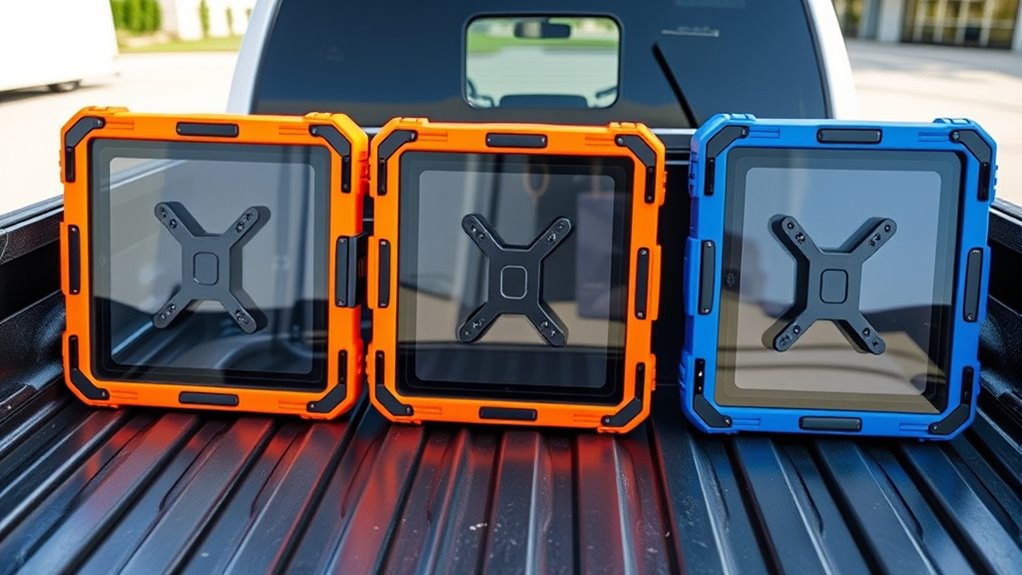

Choosing a delivery platform tablet enclosure is less about making a screen look polished and more about keeping it powered, protected, and easy for customers or staff to use during a rush. My leading choices are the Mount-It! countertop-and-wall kiosk for a fixed pickup or check-in counter, the Mount-It! locking floor stand for a freestanding service point, and the CTA Digital rolling stand when staff need to move a tablet between stations.

Get kitchen staples and gadgets delivered free with Prime
- Fast, free delivery on millions of items
- Prime Video, Amazon Music and more included
- Member-only deals all year
The tradeoff is straightforward: fixed stands prioritize security and a tidy footprint, while floor models give customers more access and can support wayfinding or self-service. Compatibility is another dividing line. Most Mount-It! picks here require a bare, listed iPad, while CTA Digital supports a broader tablet mix but has a shorter stated warranty and a mobile base. I’ve ranked these options by how directly they suit real delivery-platform tasks: protecting a dedicated ordering or pickup screen, accommodating the workspace, and avoiding fit or mobility surprises.
Key Takeaways
- For a fixed restaurant counter, the Mount-It! countertop-and-wall enclosure combines a keyed steel case, cable routing, and customer-facing swivel; its viewing angle is fixed at 45 degrees.
- The Mount-It! floor kiosk is the strongest match for a freestanding customer check-in or pickup station, but it is heavy and excludes 12.9-inch iPad Pro models.
- Choose the Mount-It! floor stand with literature holder if printed pickup instructions or menus belong beside the tablet; the holder can be removed when not needed.
- CTA Digital offers wheels, adjustable height, and broad tablet compatibility, making it the flexible choice for shared stations, with a 1-year guarantee rather than the lifetime warranty listed for some Mount-It! models.
- All five require careful device-fit checking; several explicitly need a tablet without its protective case.
| Mount-It! iPad & Tablet Kiosk Stand, Anti-Theft Secure Enclosure for 10.2″–11″ iPad & Samsung Tablets |  | Best Overall for Fixed Delivery Counters | Compatible tablets: Selected 10.2- to 11-inch iPads and Samsung Galaxy Tab models | Enclosure material: High-strength steel | Mounting: Countertop or wall | VIEW ON AMAZON | See Our Full Breakdown |
| Mount-It! Anti-Theft iPad Floor Stand, Locking Kiosk Enclosure, Black |  | Best Freestanding Floor Kiosk | Compatible devices: Listed iPad Gen 7–11, A16, Air, and Pro models; excludes 12.9-inch Pro | Material: Powder-coated alloy steel | Dimensions: 13.4 × 11.8 × 42.3 inches | VIEW ON AMAZON | See Our Full Breakdown |
| CTA Digital Premium Grade Floor Stand for Tablets with Quick Release Enclosure |  | Best for Mobile, Multi-Device Workflows | Compatible tablets: Selected 9.7- to 11-inch iPads, Samsung, Lenovo, and Surface Go models | Height range: 39 to 48.9 inches | Base: Weighted anti-tip base with five casters | VIEW ON AMAZON | See Our Full Breakdown |
| Mount-It! Anti-Theft iPad Floor Stand Kiosk with Literature Holder |  | Best for Pickup Instructions and Printed Menus | Compatible devices: Listed iPad Gen 7–11, Pro, Air, and A16 models; excludes 12.9-inch iPad Pro | Tablet weight limit: Up to 2.2 pounds | Rotation: 90 degrees | VIEW ON AMAZON | See Our Full Breakdown |
| Mount-It! iPad Kiosk Stand, Anti-Theft Steel Countertop Enclosure, Black |  | Best Compact Countertop Security | Compatibility: Selected iPad Gen 7–11, A16, Pro, and Air models; not iPad mini | Material: Steel | Mounting: Freestanding or bolt-down | VIEW ON AMAZON | See Our Full Breakdown |
| delivery platform tablet enclosure | Tilt | Warranty |
|---|---|---|
| Mount-It! iPad & Tablet Kiosk | Fixed 45 degrees | Lifetime warranty listed in supplied description |
| Mount-It! Anti-Theft iPad Floo | — | — |
| CTA Digital Premium Grade Floo | — | 1-year guarantee listed in description |
| Mount-It! Anti-Theft iPad Floo | 75 degrees | Lifetime warranty listed |
| Mount-It! iPad Kiosk Stand | 75 degrees | — |
More Details on Our Top Picks
Mount-It! iPad & Tablet Kiosk Stand, Anti-Theft Secure Enclosure for 10.2″–11″ iPad & Samsung Tablets
For a dedicated restaurant counter, this is the most directly useful blend of security, cable control, and customer-facing access in the group. Its keyed steel enclosure secures a supported 10.2- to 11-inch tablet, while the 360-degree swivel base lets staff turn the screen toward a customer for pickup confirmation, signature, or self-service input. Countertop and wall mounting give it more installation flexibility than the other compact Mount-It! enclosure here.
The tradeoff is its fixed 45-degree tilt. That angle may work well at a counter, but it offers less adjustment than the floor models’ tilting heads. It also requires a bare tablet, so a business that uses rugged protective cases will need to change that setup or choose a different enclosure. Compared with the Mount-It! floor kiosk, this model takes less floor space and can be bolted down; compared with the CTA Digital stand, it is better suited to a permanent station than a tablet that travels between service areas. The supplied description lists a lifetime warranty and US-based support, useful for a fixed business installation, though I would verify current support terms before purchase.
Pros:- Keyed, high-strength steel enclosure helps deter tampering and theft.
- 360-degree swivel turns the screen between staff and customers.
- Countertop or wall mounting suits fixed check-in, pickup, or POS locations.
- Built-in cable channel keeps charging leads routed away from the counter surface.
Cons:- The 45-degree viewing angle is fixed rather than adjustable.
- Tablet must be used without a case, and the supported models should be checked carefully.
- A fixed installation is less convenient than CTA Digital’s wheeled stand when stations need to move.
Best for: Restaurants and pickup counters that need a fixed, lockable station for a supported 10.2- to 11-inch iPad or Samsung tablet.
Not ideal for: Teams that need a moving kiosk, an adjustable tilt angle, or to keep a bulky protective case on the tablet.
- Compatible tablets:Selected 10.2- to 11-inch iPads and Samsung Galaxy Tab models
- Enclosure material:High-strength steel
- Mounting:Countertop or wall
- Base movement:360-degree swivel
- Tilt:Fixed 45 degrees
- Security:Integrated lock and keys
- Cable management:Built-in routing channel
- Tablet case fit:Tablet must be installed without a case
- Warranty:Lifetime warranty listed in supplied description
Our verdict“I’d choose this Mount-It! for a permanent delivery counter where a lockable, customer-facing tablet matters more than adjustable tilt or mobility.”
Mount-It! Anti-Theft iPad Floor Stand, Locking Kiosk Enclosure, Black
When the delivery tablet needs to sit away from the counter—at a pickup entrance, hotel lobby, or event check-in point—the 33-pound steel floor stand offers a more planted setup than a compact desk mount. Its lockable enclosure, protected power cabinet, and integrated cable management address the practical risks of a public tablet station: casual tampering, exposed cords, and a stand that feels too light for a busy area. Adjustable rotation and tilt also let an operator orient the display for a customer-facing workflow.
Compared with the first-ranked countertop-and-wall model, this stand is more visible and self-contained but takes up floor space and is harder to relocate. The weight is a benefit for stability and a real drawback for staff who frequently rearrange the service area. It is also an iPad-specific choice with fit limits: the supplied compatibility information excludes 12.9-inch iPad Pro models, and the device must be bare, not in a case. I’d select it for a fixed freestanding kiosk, not for a narrow counter where a bolted compact stand would keep the walkway clear.
Pros:- Heavy steel floor stand and keyed enclosure suit public-facing installations.
- Protected power cabinet and cable management help keep wiring concealed.
- Adjustable rotation and tilt support different customer and staff positions.
- Includes interchangeable mounting plates for listed iPad models.
Cons:- At 33 pounds, it is cumbersome to move compared with CTA Digital’s caster-based option.
- It occupies floor space that may be scarce near a pickup counter.
- Requires a bare compatible iPad and does not fit 12.9-inch iPad Pro models.
Best for: Businesses that need a sturdy, freestanding iPad station for pickup, check-in, or self-service in a high-traffic area.
Not ideal for: Small counters, frequent layout changes, case-protected tablets, or 12.9-inch iPad Pro users.
- Compatible devices:Listed iPad Gen 7–11, A16, Air, and Pro models; excludes 12.9-inch Pro
- Material:Powder-coated alloy steel
- Dimensions:13.4 × 11.8 × 42.3 inches
- Weight:33 pounds
- Mounting type:Floor stand
- Security:Lockable enclosure with two keys
- Cable and power:Integrated cable management and protected power cabinet
- Included mounting plates:Four interchangeable plates
Our verdict“I’d pick this floor kiosk when a secure, substantial freestanding iPad station matters more than easy relocation or compact size.”
CTA Digital Premium Grade Floor Stand for Tablets with Quick Release Enclosure
CTA Digital is the clear choice when the tablet station has to move with the work. Five casters, a weighted anti-tip base, and height adjustment from 39 to 48.9 inches make it adaptable to changing service layouts, shared hospitality areas, or a temporary pickup desk. Its quick-release enclosure, internal cable routing, and listed 360-degree swivel with 90-degree tilt offer more positioning flexibility than the compact Mount-It! counter enclosure.
Its broader device list is another advantage: it names selected iPads, Samsung Galaxy Tabs, Lenovo Tab 4, and Surface Go models, with other 9.7- to 11-inch tablets available by special request. That flexibility comes with a need to confirm the exact fit before ordering; a size range alone does not establish that every tablet will fit securely. Compared with Mount-It!’s heavier floor kiosk, CTA Digital is much easier to roll between stations but has a 1-year guarantee in the supplied description rather than the lifetime warranty listed for some Mount-It! products. The product information also describes the stand as eight pounds, so I would treat its anti-tip base as support for controlled movement, not a reason to leave it unattended in a crowded walkway.
Pros:- Five casters make it easier to move between service positions than the 33-pound Mount-It! floor stand.
- Height adjustment and broad listed tablet compatibility serve mixed-device environments.
- Quick-release enclosure and internal cable routing support practical daily setup.
- 90-degree tilt and 360-degree swivel allow flexible screen positioning.
Cons:- The listed warranty is one year, shorter than the lifetime warranty specified for some Mount-It! options.
- Exact compatibility should be confirmed, particularly for devices covered by special-order requests.
- Wheels add mobility but are less suited to a fixed, permanently anchored kiosk.
Best for: Hospitality and retail teams that share a tablet across stations or need to adjust kiosk height and location during service.
Not ideal for: Buyers seeking a permanently anchored, heavy floor kiosk or those who need a long listed warranty and a guaranteed fit without model confirmation.
- Compatible tablets:Selected 9.7- to 11-inch iPads, Samsung, Lenovo, and Surface Go models
- Height range:39 to 48.9 inches
- Base:Weighted anti-tip base with five casters
- Adjustment:90-degree tilt and 360-degree swivel
- Enclosure:Locking quick-release design
- Cable routing:Internal cable management
- Weight:8 pounds listed in product information
- Warranty:1-year guarantee listed in description
Our verdict“I’d choose CTA Digital for a movable, height-adjustable station, provided the tablet’s exact fit and the lighter warranty coverage work for the business.”
Mount-It! Anti-Theft iPad Floor Stand Kiosk with Literature Holder
This floor kiosk earns its place through the removable, height-adjustable literature holder. A delivery pickup station can use the tablet for check-in while printed directions, menus, or service information sit beside it; that pairing is more purposeful than simply choosing another locked floor stand. The enclosure supports listed iPads, offers adjustable viewing with 90-degree rotation and 75-degree tilt, and includes four interchangeable mounting plates for different access configurations.
Compared with the Mount-It! floor stand without the brochure holder, this version better serves a station that needs both digital interaction and printed guidance, though the other floor model’s protected power cabinet and cable-management details are more explicit. The holder can be removed, but if printed material is not part of the workflow, it adds little value and the plainer floor stand is the simpler fit. Compatibility needs close checking: the tablet must be bare, and the supplied details specifically rule out 12.9-inch iPad Pro models. I’d favor it for a lobby or pickup area where customers benefit from both screen prompts and paper instructions, not for a tight or frequently rearranged counter.
Pros:- Removable, height-adjustable literature holder pairs printed instructions with the tablet.
- Keyed steel enclosure helps protect a public-facing iPad.
- 90-degree rotation and 75-degree tilt allow useful viewing adjustments.
- Four mounting plates accommodate different listed iPad configurations.
Cons:- Bare-tablet requirement limits use with protective cases.
- Not compatible with 12.9-inch iPad Pro models, so model verification matters.
- The literature holder is unnecessary bulk for a digital-only kiosk.
Best for: Restaurants, hotels, and event spaces that want a freestanding tablet kiosk with printed pickup directions or literature alongside it.
Not ideal for: Businesses with no need for printed materials, a case-protected tablet, or a 12.9-inch iPad Pro.
- Compatible devices:Listed iPad Gen 7–11, Pro, Air, and A16 models; excludes 12.9-inch iPad Pro
- Tablet weight limit:Up to 2.2 pounds
- Rotation:90 degrees
- Tilt:75 degrees
- Mounting plates:Four interchangeable options
- Lock:Key lock with two keys
- Literature holder:Removable and height-adjustable
- Warranty:Lifetime warranty listed
Our verdict“I’d choose this floor kiosk over the standard Mount-It! floor stand when printed pickup information adds genuine value to the station.”
Mount-It! iPad Kiosk Stand, Anti-Theft Steel Countertop Enclosure, Black
This is the straightforward option for a small, fixed iPad station where the tablet should stay on the counter rather than occupy floor space. Its steel enclosure uses a keyed lock, while the base can stand freely or be bolted down. The 360-degree base rotation, 90-degree head rotation, and 75-degree tilt give it more screen-positioning options than the 45-degree fixed tilt on the top-ranked Mount-It! countertop-and-wall model.
That adjustability makes this a better fit when the display needs to alternate between staff and customers or when counter geometry varies. The newer 10.2- to 11-inch iPad-and-Samsung Mount-It! kiosk has a broader stated brand range and wall-mount option, while this one is specified for selected iPads and excludes iPad mini models. Both require a bare tablet. I’d check the exact iPad generation and plate configuration before committing, since a close screen-size match does not guarantee enclosure fit. For a business that needs a simple, lockable iPad display with a compact footprint, this is a practical alternative; for cross-brand tablet fleets, I’d look first at CTA Digital or the newer mixed-brand Mount-It! enclosure.
Pros:- Steel enclosure and keyed lock help deter unauthorized removal.
- Freestanding or bolt-down installation adapts to temporary and fixed counters.
- 360-degree base rotation, 90-degree head rotation, and 75-degree tilt allow flexible positioning.
- Four mounting plates support multiple listed iPad configurations.
Cons:- Does not support iPad mini models.
- Designed for bare tablets, not tablets inside cases.
- Less suited to mixed-brand fleets than CTA Digital or the newer Mount-It! model.
Best for: A business that wants a compact, lockable countertop iPad station with adjustable orientation and optional bolt-down mounting.
Not ideal for: iPad mini owners, mixed-brand tablet fleets, or teams that need to keep a protective case installed.
- Compatibility:Selected iPad Gen 7–11, A16, Pro, and Air models; not iPad mini
- Material:Steel
- Mounting:Freestanding or bolt-down
- Base dimensions:11.8 × 7.9 inches
- Base rotation:360 degrees
- Head rotation:90 degrees
- Tilt:75 degrees
- Weight capacity:Up to 2.2 pounds
- Included accessories:Four mounting plates, hardware, and two keys
Our verdict“I’d pick this compact enclosure for a listed iPad that needs a secure, adjustable counter position without a floor stand.”

How We Picked
I ranked these stands around the work a delivery tablet actually needs to do: show incoming orders to staff, let customers confirm a pickup or complete check-in, or provide a self-service ordering point. I gave priority to physical security, usable screen positioning, cable management, and mounting flexibility, then weighed compatibility and mobility. A secure case is of limited help if the tablet does not fit, and a convenient stand can become a nuisance if it blocks the counter or cannot be moved where service happens.
I also separated fixed installations from mobile and floor-based options rather than treating every enclosure as interchangeable. Countertop and wall mounting suit a permanent station; floor stands make sense when the screen needs to be visible away from the counter. CTA Digital’s casters and height adjustment earn it a distinct role, while the Mount-It! literature-holder version serves locations where printed guidance is useful. I used only the supplied product details, so I do not assume unlisted weather resistance, payment-terminal support, or compatibility with every tablet generation. Before buying, I would confirm the exact tablet model, whether a case must come off, how the enclosure handles charging access, and whether the mounting surface can support the installation.
Factors to Consider When Choosing Delivery Platform Tablet Enclosure
I’d start by deciding where customers or staff will use the screen. A delivery-platform tablet at the kitchen or pickup counter has different needs from a public check-in kiosk near the entrance. Match the enclosure to the workflow before comparing small differences in finish or adjustability.
Match the stand to the station
Countertop and wall mounts work best when the tablet has one permanent home and floor space needs to stay clear. The Mount-It! models offer compact fixed setups, with the newer mixed-brand version adding wall mounting and customer-facing swivel. Choose a floor stand when customers need to spot the screen from a distance or the station sits apart from the counter. A wheeled base is handy for shared work areas, but it should not be treated like a permanently secured fixture.
Verify tablet fit before ordering
Check the exact tablet generation, dimensions, and enclosure plate, not just the screen size. Several Mount-It! enclosures support specific iPad families but exclude particular devices, including 12.9-inch iPad Pro models or iPad mini. CTA Digital lists more brands, yet other 9.7- to 11-inch tablets may require a special-order request. All products should be treated as bare-tablet enclosures unless the listing confirms case compatibility; the supplied descriptions explicitly require the tablet to be used without a case.
Balance security with daily access
A keyed steel enclosure can deter casual removal and tampering, but it does not replace sensible placement or staff oversight. Check how the charging cable reaches the tablet and whether it can remain connected when the enclosure is locked. The two floor models emphasize different extras: one has a protected power cabinet and cable management, while the literature-holder version adds a place for printed directions. For a fixed counter, bolt-down or wall mounting can provide a more permanent setup than relying on a freestanding base.
Choose viewing adjustments for the user
Delivery use may involve staff checking incoming orders, customers confirming pickup, or guests entering details at a kiosk. Swivel and tilt range determine how easily one screen serves those different positions. The compact Mount-It! countertop enclosure offers rotation and tilt, while the newer mixed-brand model swivels on its base but uses a fixed 45-degree angle. CTA Digital offers height adjustment for different users; its rolling base is more helpful when the station moves than when it must stay in one position.
Account for movement, space, and support
Measure the counter or floor footprint and plan for charging access before installation. A heavy floor stand can feel secure but may be awkward to move; casters make relocation simpler but call for care in crowded walkways. A removable literature holder is useful only if printed instructions or menus are part of the customer journey. Finally, compare the stated warranty and support details: some Mount-It! descriptions list a lifetime warranty, while CTA Digital lists a one-year guarantee. I would confirm the current terms with the seller for the exact model.
Frequently Asked Questions
Which enclosure is the best fit for a delivery pickup counter?
For a fixed counter, I’d start with the Mount-It! mixed-brand countertop-and-wall kiosk because it combines a lockable steel enclosure, cable routing, and a swiveling screen. If you need more tilt adjustment and use a compatible iPad, the Mount-It! countertop enclosure is an alternative. Pick a floor stand instead when the tablet needs to be visible away from the counter.
Can I leave my tablet in its protective case?
The supplied descriptions for the Mount-It! models specify that the tablet must be installed without a case, and buyers should not assume the other enclosure will fit a cased device. A case can change the tablet’s dimensions and interfere with secure placement or access. I’d confirm case compatibility for the exact model before ordering, or plan to remove the case for kiosk use.
Which option is easiest to move between service areas?
CTA Digital is the clearest choice for frequent relocation because it has five casters and an adjustable-height stand. Its mobility separates it from the 33-pound Mount-It! floor kiosk, which is better suited to a more fixed installation. In a busy restaurant, I’d park a wheeled stand where it cannot obstruct a walkway when it is not being moved.
Do these enclosures support both iPads and Android tablets?
Not all of them. CTA Digital lists selected iPads, Samsung Galaxy Tabs, Lenovo Tab 4, and Surface Go models; the newer Mount-It! countertop-and-wall enclosure also lists selected iPads and Samsung tablets. The other Mount-It! options are described around specific iPad models. I would check the exact model name and generation against the current compatibility list rather than relying on brand or screen size alone.
Should I choose a floor stand or a countertop mount?
Choose a countertop or wall mount for a permanent station that must keep the floor and customer path clear. A floor stand makes more sense when a tablet needs to function as a visible check-in or pickup kiosk away from the counter. If staff move the station during service, CTA Digital’s casters help; if it will remain in one place, a fixed or heavier stand may suit the setup better.
Conclusion
For most fixed restaurant pickup and check-in counters, I’d start with the Mount-It! mixed-brand countertop-and-wall kiosk: it has a keyed enclosure, cable routing, and an easy customer-facing swivel. Choose the Mount-It! floor stand when a robust freestanding iPad kiosk matters more than moving it, or the CTA Digital stand when staff need wheels, height adjustment, and broader tablet compatibility. The literature-holder floor kiosk is the specific choice for printed directions alongside a screen, while the compact Mount-It! countertop enclosure suits a compatible iPad when adjustable positioning is the priority. Before selecting any of them, verify the tablet model, case requirements, mounting surface, and charging route.