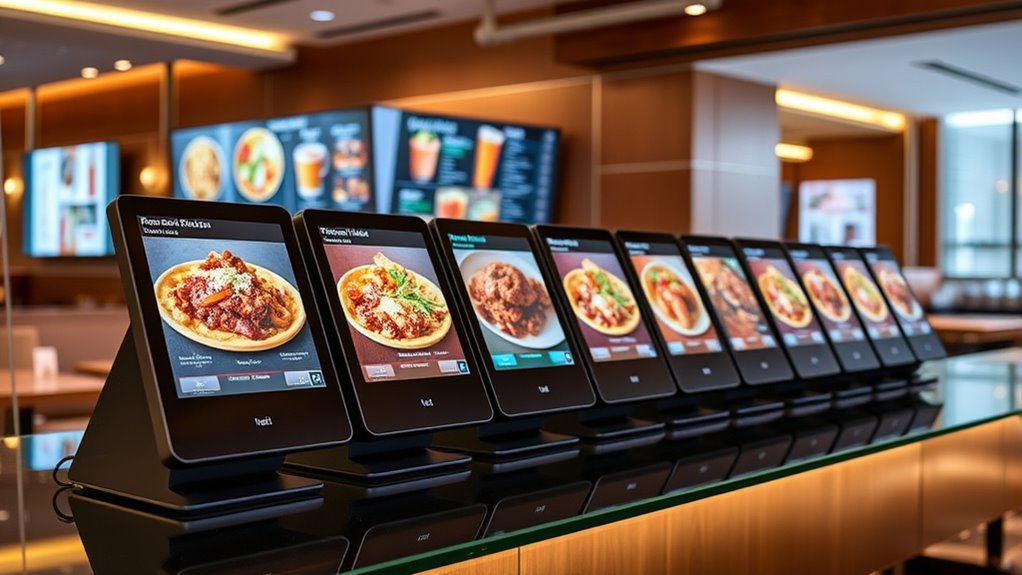

A digital menu board media player turns a screen into a menu that staff can update without replacing printed signs. My best overall pick is the Mandoe Essentials Digital Signage Player for its restaurant-focused purpose; the Amazon Signage Stick stands out for a compact 4K setup, while BrightSign LS425 suits buyers prioritizing a dedicated signage appliance. The main tradeoffs are ease of setup versus control, subscription or CMS requirements, and simple playback versus a system built for dependable ongoing operation. Screen size, brightness, and touch features matter too, but they do not replace checking how content is managed. Read on for the full comparison and guidance on matching a player to your menu and operating needs.

Get kitchen staples and gadgets delivered free with Prime
- Fast, free delivery on millions of items
- Prime Video, Amazon Music and more included
- Member-only deals all year
Key Takeaways
- Restaurant-oriented management matters: amazon.com/dp/B0B19G4LZH?tag=theuglykitchen-20&ascsubtag=dc-628589″ target=”_blank” rel=”nofollow sponsored noopener”>Mandoe Essentials is the clearest fit for cafés and restaurants seeking a menu-focused player, rather than a general-purpose video device.
- A player and a display solve different problems: The lineup includes sticks and boxes for existing screens as well as complete displays, so buyers should not compare these as interchangeable products.
- Compact 4K playback is not the same as a full signage workflow: Amazon Signage Stick and Lunzn’s HDMI player emphasize compact media playback, while CMS and update needs should guide the final choice.
- Specialty screens address specialty layouts: The Canlarriz 18.5-inch model highlights brightness and built-in CMS, while the double-touch portable display is aimed at interactive use rather than a standard wall menu.
- Dedicated hardware favors managed installations: BrightSign LS425 and the mediaDROID+ offer a more appliance-oriented approach than basic sticks, but buyers should confirm software, setup, and network fit before choosing.
| ExiBit TV Signage Stick for Business |  | Best for Multi-Location TV Networks | Brand: ExiBit | Form factor: TV stick | Connection: HDMI | VIEW ON AMAZON | See Our Full Breakdown |
| KEINONE 43-Inch 4K UHD Digital Signage Display |  | Best Complete Display for Bright, High-Traffic Venues | Screen size: 43 in | Resolution: 4K UHD | Brightness: 1000 nits | VIEW ON AMAZON | See Our Full Breakdown |
| ZPNUZDU 32″ Digital Signage Display with Solid Wood Frame |  | Best Design-Led Display for Upscale Dining | Screen size: 32 in | Resolution: 4K UHD (3840 × 2160) | Brightness: 700 nits | VIEW ON AMAZON | See Our Full Breakdown |
| Canlarriz 18.5″ Digital Signage Display with 700 Nits Brightness and Built-in CMS |  | Best Compact Countertop Display | Screen size: 18.5 in | Resolution: 1366 × 768 | Brightness: 700 nits | VIEW ON AMAZON | See Our Full Breakdown |
| LCD Digital Signage Display for Businesses, Double Touch Screen with WiFi, Portable Charging, Black |  | Best for Two-Sided, Close-Range Promotions | Display size: 7 in | Touchscreen: Double-sided | Connectivity: Wi-Fi | VIEW ON AMAZON | See Our Full Breakdown |
| Mandoe Essentials Digital Signage Player for Restaurants & Cafés |  | Best for Quick Restaurant Menu Updates | Connectivity: HDMI | Target use: Restaurants and cafés | AI menu generation: Yes | VIEW ON AMAZON | See Our Full Breakdown |
| EZ AD Digital Signage Stick Player, AI Digital Menu Board for Business |  | Best for 4K Presentations and Mixed Media | Connectivity: Wi-Fi | Connector: HDMI | Resolution: 4K; 3840 × 2160 | VIEW ON AMAZON | See Our Full Breakdown |
| Amazon Signage Stick – 4K Digital Media Player for Business Signage |  | Best for Managed CMS Deployments | Resolution: 4K | Wireless connectivity: Wi-Fi 6E | Processor: Quad-core | VIEW ON AMAZON | See Our Full Breakdown |
| Lunzn HDMI Advertising Media Player with Free CMS – 4K USB Video Player |  | Best for Subscription-Free Scheduled Playback | Model: YM05 | Connectivity: USB | Resolution: 4K; 3840 × 2160 | VIEW ON AMAZON | See Our Full Breakdown |
| EZ AD Digital Signage Display Player |  | Best for Template-Led Content Creation | Resolution: 4K | Video gallery: More than 250,000 options | Free-plan limit: Up to 50 slides per device | VIEW ON AMAZON | See Our Full Breakdown |
| mediaDROID+ Digital Signage Media Player |  | Best for Wired, Continuous Playback | Operating system: Android | Processor: Cortex-A73/A53, 1.7GHz / 1.8GHz | RAM: 4GB | VIEW ON AMAZON | See Our Full Breakdown |
| Neon Digital Signage Stick |  | Best for Simple Cloud-Managed Updates | Brand: Neon Studios Inc | Form factor: Digital signage stick | Dimensions: 3.9 × 1.2 inches | VIEW ON AMAZON | See Our Full Breakdown |
| Lunzn Digital Signage Player Box YM06 |  | Best Value for Subscription-Free CMS | Model: YM06 | Processor: RK3328 | RAM: 2GB | VIEW ON AMAZON | See Our Full Breakdown |
| Digital Signage Player for Business & Menu Boards |  | Best for Built-In Menu Design Tools | Setup: Plug and play | Content management: Remote control via cloud | Display resolution: 4K | VIEW ON AMAZON | See Our Full Breakdown |
| BrightSign LS425 Digital Signage Appliance |  | Best for Reliable, Compact Commercial Playback | Model: LS425 | Operating system: BrightSign OS | Video support: HD and 4K | VIEW ON AMAZON | See Our Full Breakdown |
| digital menu board media player | Connectivity | Resolution |
|---|---|---|
| ExiBit TV Signage Stick for Bu | Wi-Fi | 4K |
| KEINONE 43-Inch 4K UHD Digital | HDMI, 2 × USB, LAN, TF/SD | 4K UHD |
| ZPNUZDU 32" Digital Signage Di | — | 4K UHD (3840 × 2160) |
| Canlarriz 18.5" Digital Signag | HDMI, LAN, TF card, USB 2.0, USB 3.0 | 1366 × 768 |
| LCD Digital Signage Display fo | Wi-Fi | — |
| Mandoe Essentials Digital Sign | HDMI | — |
| EZ AD Digital Signage Stick Pl | Wi-Fi | 4K; 3840 × 2160 |
| Amazon Signage Stick | — | 4K |
| Lunzn HDMI Advertising Media P | USB | 4K; 3840 × 2160 |
| EZ AD Digital Signage Display | — | 4K |
| mediaDROID+ Digital Signage Me | Wi-Fi, Ethernet | — |
| Neon Digital Signage Stick | — | — |
| Lunzn Digital Signage Player B | — | — |
| Digital Signage Player for Bus | Wi-Fi | — |
| BrightSign LS425 Digital Signa | Ethernet, USB-C, optional Wi-Fi | — |
More Details on Our Top Picks
ExiBit TV Signage Stick for Business
The ExiBit TV Signage Stick is the most direct fit here for a business that already owns its screens and needs to manage menu content across locations. Its included cloud dashboard handles uploads, playlists, and scheduling, so there is no separate player and CMS to assemble. Compared with the KEINONE 43-Inch display, ExiBit is a smaller hardware commitment: it turns a compatible HDMI screen into signage rather than replacing the screen. That flexibility comes with less control over screen brightness, mounting, and commercial display durability, which depend on the TV or monitor you supply. The 4K output suits detailed menus, but remote updates rely on stable Wi-Fi. I’d favor it for centrally managed TV fleets; buyers seeking a complete, high-brightness display should look at KEINONE instead.
Pros:- Combines the signage player and cloud content management in one solution
- Remote playlists and campaign scheduling suit multi-location operations
- 4K output supports detailed menu graphics on compatible displays
- Simple setup is aimed at users without dedicated IT support
Cons:- Requires stable Wi-Fi for remote content updates
- Screen brightness, durability, and mounting depend on the separately supplied TV or monitor
- Limited customer feedback makes long-term reliability harder to gauge
Best for: Restaurant groups that already have HDMI-equipped TVs and want to schedule menu changes across multiple locations from one cloud dashboard.
Not ideal for: Businesses buying their first complete signage setup, or venues with unreliable Wi-Fi that need a dedicated commercial display and dependable remote updates.
- Brand:ExiBit
- Form factor:TV stick
- Connection:HDMI
- Connectivity:Wi-Fi
- Resolution:4K
- Weight:100 g
- Dimensions:8 × 6 × 8 in
- Warranty:1 year
Our verdict“Choose ExiBit to add centrally managed 4K signage to TVs you already own, but choose a complete display if you need controlled brightness and commercial-grade screen hardware.”
KEINONE 43-Inch 4K UHD Digital Signage Display
The KEINONE 43-inch display is the strongest choice in this group when the buyer needs the screen as well as the signage platform. Its 1000-nit 4K panel is better suited to bright service areas than the 700-nit ZPNUZDU and Canlarriz displays, while the large screen gives menus room for readable pricing and imagery. Android 14, 4GB RAM, 64GB storage, and an included CMS support app-based playback and remote scheduling without a separate media stick. That all-in-one approach is less flexible than pairing the ExiBit stick with an existing TV, and the initial setup may call for more technical know-how. The 43-inch format and 24/7 commercial-use design make sense for wall-mounted menus, but it is too much screen for a small counter or a venue that only needs a compact player.
Pros:- 1000-nit brightness helps menus remain visible in well-lit areas
- 43-inch 4K UHD screen provides space for readable menus and rich visuals
- Included CMS supports remote content management and scheduling
- Android 14 with 4GB RAM and 64GB storage supports apps and local content
Cons:- Larger all-in-one display is less adaptable than adding a player to an existing TV
- Initial setup may require more technical familiarity than a simple signage stick
- The 43-inch size can be impractical for compact counters or small rooms
Best for: Restaurants, food halls, and retail counters that need a large, bright, wall-mounted 4K menu display with built-in remote management.
Not ideal for: Small cafés with limited wall space, or operators who already own screens and only need an HDMI signage player.
- Screen size:43 in
- Resolution:4K UHD
- Brightness:1000 nits
- Operating system:Android 14.0
- Memory:4GB RAM
- Storage:64GB
- Processor:A55 quad-core
- Connectivity:HDMI, 2 × USB, LAN, TF/SD
- Lifespan:30,000+ hours
Our verdict“Pick KEINONE when a bright, large, managed 4K screen matters more than the compactness and reuse of a separate player.”
ZPNUZDU 32″ Digital Signage Display with Solid Wood Frame
The ZPNUZDU 32-inch display is the style-led pick: its solid oak-color wood frame makes a menu screen feel more at home in a design-conscious restaurant or gallery than a conventional commercial panel. It still provides 4K resolution, 700-nit brightness, and 24/7 operation, so this is more than a decorative screen. Compared with the brighter KEINONE, it gives up 300 nits and some screen size, making it less suitable for a sunlit storefront or a large menu viewed from across a room. Its GMS remote management and split-screen support help with routine content changes, while USB and HDMI provide straightforward local playback options. The tradeoff is a glossy finish that can reflect nearby lights, plus a limited set of ports. I’d choose it when the display’s frame is part of the room’s look, not when maximum visibility is the main goal.
Pros:- Solid oak-color frame suits interiors where standard black signage looks out of place
- 4K UHD resolution supports detailed menu graphics
- 700-nit brightness and 24/7 operation fit commercial display use
- Remote GMS management and split-screen functions support content updates
Cons:- Glossy screen can reflect lights and windows
- One HDMI port and two USB ports limit connected-device options
- Lower brightness than the 1000-nit KEINONE is a drawback in especially bright spaces
Best for: Upscale restaurants, boutique cafés, and galleries that want a 4K menu screen whose wood frame complements the interior.
Not ideal for: Bright storefronts needing the higher output of the KEINONE, or installations that need several HDMI inputs and broad connectivity.
- Screen size:32 in
- Resolution:4K UHD (3840 × 2160)
- Brightness:700 nits
- Frame material:Solid wood, oak color
- Profile thickness:35 mm
- Aspect ratio:16:9
- Refresh rate:60 Hz
- Ports:1 × USB 2.0, 1 × USB 3.0, HDMI
- Warranty:2 years
Our verdict“Choose ZPNUZDU for a polished, wood-framed 4K menu display in a design-focused venue, not for the brightest or most connection-rich installation.”
Canlarriz 18.5″ Digital Signage Display with 700 Nits Brightness and Built-in CMS
The Canlarriz 18.5-inch display is aimed at counters and reception areas where a full-size wall screen would be excessive. Its standout practical feature is the lifetime free Cloud CMS, which lets staff update content remotely without adding a separate player like the ExiBit stick. At 700 nits, it is specified for bright commercial environments, and portrait or landscape placement makes it easier to fit different counter layouts. The compromises are its 1366 × 768 resolution and modest 18.5-inch panel: fine for short offers or a focused menu, but less suitable for dense text or detailed 4K artwork than the ZPNUZDU. Its 10.8-pound weight also makes it less tablet-like and less convenient to reposition. I’d shortlist it for a fixed, compact service point where remote updates matter more than sharpness or portability.
Pros:- Lifetime free Cloud CMS supports remote menu and promotion changes
- 700-nit brightness is suited to well-lit commercial spaces
- Can be positioned in landscape or portrait orientation
- HDMI, LAN, USB, and TF-card connections support different content sources
Cons:- 1366 × 768 resolution is less sharp than the 4K ZPNUZDU and KEINONE
- The 18.5-inch screen limits how much menu content can be shown legibly
- At 10.8 lb, it is relatively heavy for a countertop unit
Best for: Cafés, takeout counters, and reception desks that need a bright, fixed-format display with remote menu updates and portrait-or-landscape placement.
Not ideal for: Venues showing dense menus or detailed graphics, or buyers who need a lightweight screen that staff can move frequently.
- Screen size:18.5 in
- Resolution:1366 × 768
- Brightness:700 nits
- Operating system:Android 12
- Memory:2GB RAM
- Storage:32GB
- Connectivity:HDMI, LAN, TF card, USB 2.0, USB 3.0
- Power consumption:55 W
- Weight:10.8 lb
Our verdict“Choose Canlarriz for a bright, remotely managed countertop menu where compact size matters more than 4K detail.”
LCD Digital Signage Display for Businesses, Double Touch Screen with WiFi, Portable Charging, Black
This dual-sided 7-inch touchscreen has a different job from the wall and counter displays in this roundup: it puts small interactive promotions in front of people at close range rather than replacing a full menu board. Wi-Fi supports content updates, while the 23,000 mAh battery and included Micro-USB, Type-C, and Lightning cables add portable charging as a secondary function. That combination may suit a bar, hotel desk, or table where guests can interact with a compact offer screen. Compared with the Canlarriz, however, its 7-inch display cannot show a complete menu with the same practical readability, and the product data does not specify resolution, brightness, or CMS software. I would treat it as a niche promotional accessory, not a primary digital menu player. Its 1.5 kg weight also limits how casually it can be carried around.
Pros:- Two-sided touchscreen can present promotions to people on either side
- Wi-Fi supports wireless content updates
- 23,000 mAh battery adds portable charging utility
- Includes Micro-USB, Type-C, and Lightning charging cables
Cons:- Seven-inch display is too small to serve as a full menu board
- Product data does not specify resolution or brightness
- CMS details are not provided, and its 1.5 kg weight limits portability
Best for: Bars, hotels, and hospitality counters seeking a small, two-sided interactive promotion display with Wi-Fi and device-charging utility.
Not ideal for: Restaurants that need a primary menu board, readable menus from a distance, or clearly specified brightness, resolution, and content-management tools.
- Display size:7 in
- Touchscreen:Double-sided
- Connectivity:Wi-Fi
- Battery capacity:23,000 mAh
- Charging cables:Micro-USB, Type-C, Lightning
- Material:Acrylic
- Color:Black
- Weight:1.5 kg
- Dimensions:9.8 × 4.7 in
Our verdict“Choose this unit for close-range, two-sided promotions and charging convenience, not as the main digital menu display for a restaurant.”
Mandoe Essentials Digital Signage Player for Restaurants & Cafés
Built for restaurant menus, the Mandoe Essentials pairs an HDMI-connected player with AI-assisted content creation, so operators can prepare menu boards and promotions without relying on design or IT staff. Its offline playback is a practical advantage over the EZ AD Digital Signage Stick Player, whose description emphasizes Wi-Fi and app-based control: Mandoe can keep scheduled content on screen when the venue’s connection drops. Updates from a phone or computer also suit cafés that change specials regularly. The tradeoff is a focused setup rather than a detailed hardware or resolution specification, and you still need to supply an HDMI display. I’d choose it for straightforward menu publishing, not for a buyer seeking documented 4K output or broad CMS integrations.
Pros:- AI-assisted menu and promotion creation can speed up routine content changes.
- Plug-and-play setup is aimed at users without technical expertise.
- Offline playback helps keep menu content visible during internet interruptions.
- Menus can be updated from a phone or computer.
Cons:- Requires a separate HDMI-compatible TV or display.
- The provided product details do not specify output resolution or storage capacity.
- Its restaurant-focused feature set may be less suitable for buyers seeking broad CMS integrations.
Best for: Restaurant and café operators who want to create and update menus from a phone or computer without IT help.
Not ideal for: Businesses that need a bundled display, specified 4K playback, or detailed hardware and CMS information before choosing a player.
- Connectivity:HDMI
- Target use:Restaurants and cafés
- AI menu generation:Yes
- Offline playback:Yes
- Setup:Plug and play; no IT expertise required
- Content management:Updates from a phone or computer
Our verdict“Choose Mandoe for easy, offline-capable restaurant menu updates; pick the Amazon Signage Stick if documented 4K output and CMS integration matter more.”
EZ AD Digital Signage Stick Player, AI Digital Menu Board for Business
The EZ AD stick suits menu boards that mix food photography with slides, videos, or promotional material. Its 4K output and support for PowerPoint give it a broader presentation role than Mandoe Essentials, which is more directly centered on restaurant menu creation and offline playback. The app provides content management tools, while the AI image enhancer is intended to improve visual material before it reaches the screen. That flexibility comes with limits: 8 GB of storage can constrain locally stored media, and the listing notes that some users encounter setup issues. The product also depends on an HDMI display and Wi-Fi connectivity. I’d shortlist it for businesses already organizing content as presentations, but compare it with the Lunzn player if USB-based playback and a free CMS matter more than stick-style app control.
Pros:- 4K output supports detailed food photography and promotional visuals.
- PowerPoint, video, and image playback accommodate varied signage content.
- Mobile app control and content tools support remote management.
- AI image enhancement offers an additional way to refine visuals.
Cons:- The 8 GB storage capacity may limit locally stored content.
- The product description notes that some users experience setup issues.
- Requires both an HDMI-compatible display and Wi-Fi.
Best for: Cafés and small businesses that already create menus or promotions in PowerPoint and want 4K playback with app control.
Not ideal for: Operators who need dependable offline playback, ample built-in storage, or a setup experience with no reported configuration concerns.
- Connectivity:Wi-Fi
- Connector:HDMI
- Resolution:4K; 3840 × 2160
- Storage:8 GB
- Form factor:TV stick
- Controller:App control
- Special feature:AI image enhancer
- Video codecs:H.264, H.265/HEVC, VP9
- Warranty:1 year
Our verdict“Pick this stick for 4K, app-managed presentations and mixed media, but choose Mandoe if offline restaurant-menu playback is the priority.”
Amazon Signage Stick – 4K Digital Media Player for Business Signage
The Amazon Signage Stick is the strongest fit here for businesses that plan to manage screens through a compatible content management system. Auto-launch CMS support, remote management, and automatic updates point toward a more centrally managed setup than the EZ AD Digital Signage Stick Player, whose description leans on app control and built-in content tools. Wi-Fi 6E and 4K output add useful connectivity and image detail, while secure boot and encrypted storage are aimed at businesses that value managed device security. The main caveat is that full functionality requires a CMS subscription; it is not the clearest pick for a single café seeking a simple, self-contained menu tool like Mandoe Essentials. The listing also gives limited hardware detail, so buyers comparing processor, memory, or storage should seek more specifics before choosing.
Pros:- 4K output supports high-detail menu imagery and video.
- Wi-Fi 6E provides a modern wireless connection option.
- Auto-launch CMS support and remote management suit centrally managed screens.
- Secure boot, encrypted storage, and automatic updates support managed device operation.
Cons:- A CMS subscription is required for full functionality.
- The product details provide limited processor, memory, and storage information.
- Support hours may not suit every business schedule.
Best for: Multi-location operators or businesses already using a supported CMS and wanting remotely managed 4K signage devices.
Not ideal for: Independent cafés seeking a fully functional menu system without a CMS subscription or buyers who need detailed hardware specifications upfront.
- Resolution:4K
- Wireless connectivity:Wi-Fi 6E
- Processor:Quad-core
- CMS support:Integration with leading CMS providers
- CMS launch:Auto-launch CMS
- Management:Remote management
- Security:Secure boot and encrypted storage
- Updates:Automatic updates
- Setup:Mobile app setup
Our verdict“Choose the Amazon Signage Stick for a CMS-led, remotely managed 4K setup; Mandoe is a better match for simple restaurant menu creation without a stated CMS subscription.”
Lunzn HDMI Advertising Media Player with Free CMS – 4K USB Video Player
Lunzn stands out for combining USB auto-play with a free CMS for scheduling and controlling content across multiple devices. That mix is appealing when a menu should start playing automatically from local media but staff also need tools to coordinate updates. Compared with the EZ AD Digital Signage Stick Player, Lunzn is less focused on app-based, Wi-Fi-connected presentation and more on USB playback plus CMS scheduling. Its 4K output and H.264/H.265 support cover common video needs. The limitation is connectivity: no built-in Wi-Fi or Ethernet is listed, so remote management should not be mistaken for direct network streaming. With only 8 GB of internal storage, I’d plan around USB media and the CMS rather than treating the device as a roomy local library.
Pros:- USB auto-play can start photos and videos without manual startup.
- Free CMS includes scheduling, remote control, and multi-device management.
- 4K output supports detailed menu and promotional content.
- H.264 and H.265/HEVC codec support covers common video files.
Cons:- No built-in Wi-Fi or Ethernet is listed for direct network streaming.
- 8 GB of internal storage limits locally stored media.
- The TV box form factor may be less discreet than a stick player.
Best for: Small restaurant groups that want scheduled signage across several screens and prefer a free CMS with USB-based playback.
Not ideal for: Businesses that need direct Wi-Fi or Ethernet streaming, large onboard media storage, or a stick-style installation.
- Model:YM05
- Connectivity:USB
- Resolution:4K; 3840 × 2160
- Storage:8 GB
- Form factor:TV box
- CMS:Free CMS for publishing ads
- CMS features:Remote scheduling and multi-device control
- Video codecs:H.264, H.265/HEVC
- Dimensions:4.6 × 4.6 × 0.98 inches
Our verdict“Choose Lunzn for USB auto-play and scheduled multi-device management without a CMS subscription; select the Amazon Signage Stick if Wi-Fi 6E and integrated CMS deployment are more important.”
EZ AD Digital Signage Display Player
For operators who need help producing content as well as playing it, this EZ AD player offers a template builder, video studio, YouTube loader, and mobile app. Its free plan supports up to 50 slides per device, giving smaller menus or promotional rotations a defined starting point. That makes it a different proposition from Lunzn: Lunzn emphasizes USB auto-play and a free CMS for scheduling, while EZ AD places more weight on creating and sourcing media. The player supports 4K and both horizontal and vertical orientation, which can help a business reuse content across different screen layouts. The tradeoff is the 50-slide free-plan cap; businesses with larger rotations or more advanced needs must move to a paid plan. Confirm that limit suits the menu before committing to its creation workflow.
Pros:- 4K support accommodates detailed menu visuals.
- Template builder and video studio provide tools for creating signage content.
- Free plan allows up to 50 slides per device.
- HDMI, Ethernet, USB Type-A, and memory card reader provide several connection options.
Cons:- The free plan is capped at 50 slides per device.
- The full feature set requires a paid premium plan.
- The 250,000-plus video gallery may be less useful to businesses relying mainly on original menu photography.
Best for: Independent food businesses that want templates and built-in content tools to create a modest menu or promotional rotation.
Not ideal for: Operators with more than 50 slides per device on the free plan or businesses that want to avoid a paid plan for expanded features.
- Resolution:4K
- Video gallery:More than 250,000 options
- Free-plan limit:Up to 50 slides per device
- Connections:1 HDMI, 1 Ethernet, 2 USB Type-A, memory card reader
- Display orientation:Horizontal and vertical
- Management tools:Template builder, video studio, YouTube loader, mobile app
- Image and video formats:All image and video formats supported on the free plan
Our verdict“Choose this EZ AD player if you want guided content creation for a smaller menu rotation; Lunzn is a better fit for USB auto-play and subscription-free scheduling across devices.”
mediaDROID+ Digital Signage Media Player
The mediaDROID+ is a strong fit for a menu board that needs to play locally stored HD video through a straightforward, wired setup. Its 4GB RAM and Cortex-A73/A53 processor give it more stated memory headroom than the Lunzn YM06, which may help when menus include animated elements. Ethernet also gives a fixed installation an alternative to Wi-Fi, while HDMI connects it to a compatible screen. The tradeoff is that its 16GB storage can constrain a large rotation of video assets, and a single USB port leaves little room for peripherals. Its security is described only as basic, so I would not choose it for a sensitive or tightly managed deployment. Compared with the cloud-focused Neon Digital Signage Stick, this is the more conventional player for buyers who value wired networking and local playback capability over a small stick form.
Pros:- 4GB RAM and a Cortex-A73/A53 processor suit HD video and animated menu content.
- Ethernet and Wi-Fi provide wired or wireless network options.
- HDMI output connects to compatible commercial displays and TVs.
- Compact, lightweight design can fit discreetly near a screen.
Cons:- 16GB storage may not hold a large collection of media locally.
- Only one USB port limits connected accessories.
- Basic security features may not meet stricter business requirements.
Best for: Restaurant operators who want an Android player with Ethernet and enough memory for HD menu loops on one or a few screens.
Not ideal for: Businesses with large video libraries, security-sensitive signage, or multiple USB peripherals to connect.
- Operating system:Android
- Processor:Cortex-A73/A53, 1.7GHz / 1.8GHz
- RAM:4GB
- Storage:16GB
- Video output:HDMI
- Connectivity:Wi-Fi, Ethernet
- Ports:1 HDMI, 1 USB, 1 Ethernet
- Weight:0.78 kg
Our verdict“Choose the mediaDROID+ for a wired, Android-based HD menu setup, but skip it if storage capacity or stronger security is a priority.”
Neon Digital Signage Stick
The Neon Digital Signage Stick is aimed at operators who want to update a menu remotely without setting up a conventional player box. Its plug-and-play stick format keeps the installation compact, while the cloud dashboard supports scheduling and real-time changes—useful when specials or hours change often. Unlike the mediaDROID+, the supplied details do not specify processor, memory, storage, or video resolution, so I would not select it for a workload that depends on known playback capacity. It also requires Wi-Fi and an HDMI-compatible screen, making it less suitable for a venue with unreliable wireless service or a wired-only network policy. The Lunzn YM06 lists 1080p output and orientation controls; Neon instead makes its case through remote management and a particularly small form factor.
Pros:- Plug-and-play stick design keeps installation simple and compact.
- Cloud dashboard supports remote content management.
- Scheduling and real-time updates suit menus that change frequently.
- Designed for promotional and digital signage use across business settings.
Cons:- Requires Wi-Fi for operation.
- Limited to HDMI-compatible displays.
- Product details do not specify resolution, memory, or storage.
Best for: Small cafés and shops that need to change scheduled promotions remotely and have reliable Wi-Fi plus an HDMI screen.
Not ideal for: Venues requiring Ethernet, specified playback hardware, or signage that must keep operating without a Wi-Fi connection.
- Brand:Neon Studios Inc
- Form factor:Digital signage stick
- Dimensions:3.9 × 1.2 inches
- Weight:8.1 ounces
- Color:Gray
- Connectivity requirement:Wi-Fi
- Display connection:HDMI-compatible screen
- Content management:Cloud dashboard with scheduling and real-time updates
Our verdict“Pick Neon for compact, Wi-Fi-based remote updates, but choose a player with specified hardware and wired networking when those are requirements.”
Lunzn Digital Signage Player Box YM06
The Lunzn YM06 stands out for restaurants that want remote menu control without a CMS subscription. Its included cloud CMS supports centralized management, scheduling, and auto on/off timers, which can reduce routine screen updates across more than one location. It also supports portrait and landscape orientation, giving operators more flexibility when fitting menus to existing displays. Compared with the mediaDROID+, the YM06 has less memory—2GB RAM rather than 4GB—so I would favor it for straightforward 1080p menus instead of demanding animation-heavy layouts. Its 16GB storage and HDMI-only output also limit expansion, and the listed connectivity does not include Ethernet or Wi-Fi details. The Neon Digital Signage Stick also offers cloud management, but Lunzn’s stated no-subscription CMS and timer features make its ongoing management approach clearer.
Pros:- Built-in CMS is described as having no subscription fees.
- Centralized remote management can control multiple players.
- Supports portrait and landscape screen orientations.
- Scheduling and auto on/off timers help automate daily operation.
Cons:- 2GB RAM may limit demanding or complex playback.
- 16GB storage can be restrictive for large media libraries.
- Only HDMI output is listed, with no additional video interface specified.
Best for: Independent restaurants and small chains seeking scheduled 1080p menus, multi-player remote control, and a CMS without subscription fees.
Not ideal for: Businesses running high-demand, memory-heavy visuals or needing multiple video outputs and clearly specified network connections.
- Model:YM06
- Processor:RK3328
- RAM:2GB
- Storage:16GB
- Video output:HDMI, up to 1080p
- Supported codecs:H.264, H.265/HEVC
- Orientation support:Portrait and landscape
- Warranty:1 year
Our verdict“Choose the YM06 for subscription-free scheduled 1080p menus and remote control, not for high-demand playback or expanded connectivity.”
Digital Signage Player for Business & Menu Boards
This player is the most design-oriented pick in this group: it pairs 4K playback with a Canvas Menu Designer, PowerPoint support, and an AI image enhancement feature. That combination may suit a business that wants to build and revise polished menus without assembling a separate design workflow. Its plug-and-play setup is also pitched at operators without technical experience. The tradeoff is that the available specifications say little about processor, memory, storage, or physical ports, so there is less evidence for judging performance and installation options than with the mediaDROID+ or BrightSign LS425. Cloud control requires internet access, and some upgrade features may carry additional costs. Compared with the Lunzn YM06, this model emphasizes design tools and 4K rather than a stated no-subscription CMS and orientation controls.
Pros:- Supports 4K media playback.
- Cloud control allows remote content management.
- Canvas Menu Designer and PowerPoint support offer built-in content options.
- Plug-and-play setup is intended for users without technical experience.
Cons:- Cloud features require an internet connection.
- Some upgrade features may involve additional costs.
- Processor, RAM, storage, and physical port details are not specified.
Best for: Small food businesses that want cloud-managed 4K menus and built-in tools for creating or enhancing visual content.
Not ideal for: Operators who need offline-first management, detailed hardware specifications, or predictable access to every feature without upgrades.
- Setup:Plug and play
- Content management:Remote control via cloud
- Display resolution:4K
- Menu design:Built-in Canvas Menu Designer
- Presentation support:PowerPoint
- Image feature:AI Image Enhancer
- Connectivity:Wi-Fi
Our verdict“Choose this model for accessible design tools and cloud-managed 4K menus, but look elsewhere if offline use or fully specified hardware matters more.”
BrightSign LS425 Digital Signage Appliance
The BrightSign LS425 is the strongest match here for a business that prioritizes a compact, dedicated signage appliance over built-in menu design tools. BrightSign OS is positioned for reliability, security, and uptime, while HD and 4K video, HTML5, graphics, and digital audio cover more than static menu slides. Its slim form helps when the player must sit out of sight behind a display. Unlike the Lunzn YM06, it is presented as capable of connected and offline operation, which can matter when network access is unreliable. The tradeoff is that the LS425 is intended for simpler signage experiences than higher-end BrightSign models, and Wi-Fi needs an optional dual antenna module. The mediaDROID+ lists built-in Wi-Fi, but BrightSign’s dedicated OS and stated offline capability give this pick a different emphasis: stable commercial playback rather than flexible Android hardware.
Pros:- BrightSign OS is designed for reliability, security, and uptime.
- Supports HD and 4K video, HTML5, graphics, and digital audio.
- Compact, low-profile design fits tight display installations.
- Supports connected and offline signage operation.
Cons:- Designed for simpler signage experiences than higher-end models.
- Wi-Fi requires an optional dual antenna module.
- Memory and internal storage specifications are not provided.
Best for: Businesses that need a compact commercial player for dependable HD or 4K menus, including installations where offline playback matters.
Not ideal for: Teams wanting advanced interactive signage, built-in Wi-Fi, or a player with detailed memory and storage specifications.
- Model:LS425
- Operating system:BrightSign OS
- Video support:HD and 4K
- Content support:HTML5, graphics, and digital audio
- Connectivity:Ethernet, USB-C, optional Wi-Fi
- Dimensions:7.1 × 7 × 2.9 inches
- Weight:14.1 ounces
- Operating modes:Connected and offline
Our verdict“Choose the LS425 for compact, reliability-focused commercial menu playback, but skip it if you need advanced interactivity or included Wi-Fi.”
How We Picked
I evaluated these options for the job implied by the search: displaying and updating menus on screens in restaurants and similar businesses. The ranking weighs whether each product is a player or a complete display, the stated playback and connectivity capabilities, the way its CMS or content workflow is presented, and how well its form factor suits fixed menu boards. I also considered practical ownership questions: whether a buyer may need separate screens, a network connection, a subscription, or staff time for updates.
The order favors clear menu-board use and a plausible day-to-day content workflow over headline features alone. Restaurant-focused software and purpose-built signage appliances rank ahead of simple playback devices when ongoing updates and deployment matter; compact sticks can still be a better fit for a small, straightforward installation. Complete displays are judged on their own merits, not treated as media players. Product names and listings do not establish compatibility, licensing terms, or long-term support, so I treat those as details buyers should verify rather than assume.
Factors to Consider When Choosing Digital Menu Board Media Player
Before choosing a device, I would map the menu workflow to the hardware. A screen that only needs a static menu has different needs from one that changes by daypart, location, or promotion. These factors help separate a basic playback device from a signage system that can support regular updates.
1. Decide Whether You Need a Player or a Complete Display
Some products in this roundup are media players that connect to a screen you already own; others are complete signage displays. Buying a player for a new installation can leave you sourcing the screen, mounting hardware, and any required cables separately. Buying a complete display when you already have suitable screens can duplicate equipment and complicate replacement planning. Check the display’s inputs and the player’s output before ordering, including whether the connection will fit your installation. For multiple locations, keeping screens and players as separate, replaceable parts can make service simpler. For one counter or a compact space, an all-in-one display may reduce setup steps.
2. Match the Content Workflow to How Often Menus Change
A menu updated once a season can work with a simpler file-upload or USB-style workflow, while frequent price, promotion, or daypart changes call for easier remote publishing. Ask who will make updates and whether they can do so from the device they already use. Confirm whether the listed CMS is included, requires an account, or carries ongoing fees; a phrase such as “free CMS” does not by itself explain support or feature limits. Test the actual steps for editing, previewing, and publishing before deploying across locations. A system that looks capable on a product page can still be a poor fit if routine edits require technical help. Choose the lightest workflow that reliably covers your real update schedule.
3. Check Network Access and Offline Behavior
Cloud control can simplify updates across several screens, but it depends on a stable network and a clear account setup. Before buying, confirm whether the player supports the connection available near the screen, including Wi-Fi or Ethernet where applicable. Ask what the display does if the internet drops: cached playback can keep a menu visible, while cloud-only behavior may interrupt updates or playback. A wired connection can be easier to manage in a fixed installation, though it may require additional cabling. Do not assume that an advertised cloud feature means content will remain available offline. For a single screen with infrequent changes, a locally stored playlist may be simpler than a more involved network setup.
4. Choose Screen Size, Brightness, and Placement Together
Readability depends on viewing distance, ambient light, menu density, and text size—not screen resolution alone. A compact display may suit a counter or close-up interaction but can make a long menu difficult to scan from a queue. Higher brightness can help in a bright storefront, although placement and reflections still affect legibility. Measure the intended wall or counter location and view a draft menu from the customer’s expected distance. Avoid shrinking text just to fit every item; splitting content across screens or simplifying the menu may serve customers better. Treat complete displays such as the 18.5-inch Canlarriz and larger-format options as layout decisions as much as hardware purchases.
5. Separate Playback Needs From Interactive Features
Most menu boards are read-only, so touch capability may add cost and setup work without helping customers order. Touch is more useful for self-service, product exploration, or wayfinding, where customers need to make choices on screen. If interaction is part of the plan, confirm that the software supports the intended touch actions and that the display can be positioned comfortably for users. Also account for cleaning, accessibility, and accidental input in a busy food-service area. For a standard overhead menu, prioritize dependable playback and legible layouts instead. Paying for an interactive display only makes sense when the customer journey actually uses it.
6. Plan for Expansion, Support, and Replacement
A single-screen setup can be managed by one person, but multiple locations add questions about permissions, shared templates, and centralized publishing. Ask how devices are added or replaced and whether content can be copied across screens without rebuilding each playlist. Verify the manufacturer’s support channel, software update approach, and any licensing terms before committing a chain-wide deployment. A dedicated appliance may suit a fixed installation better than a consumer-style stick, but only if its management model fits the business. Keep a spare-device plan for screens that carry time-sensitive menus. The right choice is the one your staff can maintain after installation, not simply the one with the longest feature list.
Frequently Asked Questions
Can I use a digital signage stick with a TV I already own?
Often, a stick-style player is intended to connect to an existing screen, but verify the TV’s input, available power, and mounting clearance first. Confirm the player supports the resolution and media formats you plan to use, rather than assuming that “4K” covers every file or workflow. Check whether content is managed through a CMS, local storage, or both. If the TV will run for long business hours, ask whether the device and software are designed for that operating pattern. A complete signage display may be easier if you also need commercial screen features or a matched hardware setup.
Do I need a paid CMS to update a restaurant menu remotely?
Not always, but remote updates generally require some supported management method and network access. A listing that mentions a built-in or free CMS may still have limits on users, devices, storage, support, or advanced scheduling. Before choosing, confirm what is included and whether fees apply after a trial or for multiple screens. If menus change only occasionally, local updates may be sufficient and avoid a service you do not need. For daily edits across locations, compare the time saved by centralized publishing against the software’s ongoing terms.
Will a digital menu board keep playing if the internet goes down?
That depends on whether the player stores published content locally and how its playback software handles a lost connection. Cloud control describes how updates are sent; it does not guarantee that content is cached for offline playback. Ask the seller or manufacturer for the specific offline behavior, including whether scheduled content continues and how updates resume after reconnection. Test the answer before relying on the system during service. If outages are a concern, favor a workflow with local playback and keep a known-good menu file available.
Should I choose a media player or buy a display with a player included?
Choose a standalone player if you already have compatible screens or want to replace the playback device without replacing the display. A combined display can simplify a small installation, but it may tie replacement and upgrades to one unit. Compare the screen’s size and brightness with your location, then check whether its software can handle your content workflow. For a multi-screen business, separate components can give you more flexibility in standardizing hardware. For one counter display, a combined solution may reduce the number of parts to install and manage.
Is a 4K player necessary for a digital menu board?
Not for every menu. Resolution is most useful when the connected display supports it and the design includes detailed imagery or fine text viewed at close range. For a menu seen from across a dining area, layout, contrast, font size, and screen placement can matter more than a 4K output specification. Check that the player, screen, and source content all support the resolution you intend to use. If your current menu is mostly text, spend time on readability and update management before paying extra for higher-resolution playback.
Conclusion
For most restaurant buyers, I would start with the Mandoe Essentials Digital Signage Player as the best overall fit because its positioning speaks directly to restaurant and café menus. The Lunzn HDMI Advertising Media Player is the best value-style option for buyers who mainly need compact 4K playback and are comfortable checking the CMS workflow themselves. For a more appliance-oriented installation, my best premium pick is the BrightSign LS425; confirm that its management approach suits your team before purchase. Beginners should compare the Amazon Signage Stick and Mandoe Essentials based on how much guided content management they need, not just device size. For specialized needs, consider the Canlarriz 18.5-inch display for a compact, brighter screen with built-in CMS, or the double-touch portable display when interaction is part of the service. The right choice comes down to whether you need a player, a complete screen, or a managed menu workflow—and how often your menus change.
Fall Picks
fall essentials
As an affiliate, we earn on qualifying purchases.