The best multiroom WiFi mesh system for most homes is the TP-Link Deco X55, which balances WiFi 6 performance, three-node coverage, and practical features without requiring a WiFi 7 upgrade. For newer devices and faster connections, the NETGEAR Orbi 370 Series brings WiFi 7 to a three-pack, while the TP-Link Deco S4 is a simpler pick for basic coverage on a tighter budget. The main tradeoffs are wireless generation, coverage and capacity, setup and management features, and how much performance your internet plan can actually use. A newer standard does not automatically mean faster WiFi in every room: node placement and backhaul can matter just as much. Read on for how these 15 systems compare and which type of household each one suits.

Get kitchen staples and gadgets delivered free with Prime
- Fast, free delivery on millions of items
- Prime Video, Amazon Music and more included
- Member-only deals all year
Key Takeaways
- The Deco X55 is the balanced WiFi 6 pick: its three-node AX3000 setup gives it a stronger performance case than the AX1500 Deco X15 and W3000 options, without asking buyers to choose a premium WiFi 7 system.
- WiFi 7 is a tier, not a single experience: the dual-band Deco BE23 and BE5000 models sit apart from the tri-band Deco 7 Pro and BE10000 systems, which are aimed at households with higher performance demands.
- Pack size changes the coverage calculation: two-node Deco S4 and X15 kits may suit smaller homes, while three-node bundles provide more placement options for spread-out layouts.
- Older WiFi 5 choices trade capability for simplicity: the Deco S4 and Google WiFi AC1200 can cover everyday needs, but lack the newer WiFi 6 and WiFi 7 features found elsewhere in this group.
- Do not buy by advertised coverage alone: walls, floors, node spacing, and wireless backhaul conditions can cut real-world reach, so a well-placed lower-tier kit may serve a home better than an overloaded three-pack.
| NETGEAR Orbi 370 Series WiFi 7 Mesh System (3-Pack) |  | Best for Large Homes and WiFi 7 Headroom | WiFi generation: WiFi 7 | Coverage: Up to 6,000 sq ft | Maximum stated speed: Up to 5 Gbps | VIEW ON AMAZON | See Our Full Breakdown |
| eero 6+ Mesh WiFi System (3-Pack) |  | Best for Easy Setup and Smart Home Integration | Wi-Fi standard: Wi-Fi 6 (802.11ax) | Coverage: Up to 4,500 sq ft | Supported internet speed: Up to 1 Gbps | VIEW ON AMAZON | See Our Full Breakdown |
| TP-Link Deco S4 2-Pack Whole Home Mesh WiFi System |  | Best Two-Unit Starter Mesh | Wi-Fi class: AC1900 | Coverage: Up to 3,800 sq ft | Units: 2 | VIEW ON AMAZON | See Our Full Breakdown |
| TP-Link Deco 7 BE23 Dual-Band WiFi 7 Mesh System (3-Pack) |  | Best for High Device Counts | Wi-Fi standard: WiFi 7 | Maximum stated speed: Up to 3.6 Gbps | Coverage: Up to 6,500 sq ft | VIEW ON AMAZON | See Our Full Breakdown |
| TP-Link Deco S4 Mesh AC1900 WiFi System (3-Pack) |  | Best Budget-Friendly Coverage for Legacy Devices | Wi-Fi standard: Wi-Fi 5 (802.11ac) | Coverage: Up to 5,500 sq ft | Units: 3 | VIEW ON AMAZON | See Our Full Breakdown |
| TP-Link Deco 7 Pro Tri-Band WiFi 7 BE10000 Whole Home Mesh System (3-Pack) |  | Best for High-Capacity Wi-Fi 7 | Wi-Fi standard: Wi-Fi 7 (802.11be) | Speed class: BE10000; up to 10 Gbps combined | Bands: Tri-band: 2.4 GHz, 5 GHz, and 6 GHz | VIEW ON AMAZON | See Our Full Breakdown |
| TP-Link Deco X15 Dual-Band AX1500 WiFi 6 Mesh Wi-Fi System (3-Pack) |  | Best for Broad, Basic Wi-Fi 6 Coverage | Wi-Fi standard: Wi-Fi 6 (802.11ax) | Speed class: AX1500; maximum listed speed 1,501 Mbps | Bands: Dual-band | VIEW ON AMAZON | See Our Full Breakdown |
| Deco 7 Dual-Band BE5000 WiFi 7 Mesh System |  | Best Wi-Fi 7 Step-Up Without Tri-Band Hardware | Wi-Fi standard: Wi-Fi 7 (802.11be), with backward compatibility listed for Wi-Fi 6, 5, 4, and earlier standards | Maximum speed: Up to 5 Gbps | Bands: Dual-band | VIEW ON AMAZON | See Our Full Breakdown |
| TP-Link Deco X15 Dual-Band AX1500 WiFi 6 Mesh Wi-Fi System (2-Pack) |  | Best for Smaller Homes on Wi-Fi 6 | Wi-Fi standard: Wi-Fi 6 (802.11ax) | Speed class: AX1500: 1,201 Mbps on 5 GHz and 300 Mbps on 2.4 GHz | Bands: Dual-band | VIEW ON AMAZON | See Our Full Breakdown |
| TP-Link Deco X55 AX3000 WiFi 6 Mesh System (3-Pack) |  | Best Wi-Fi 6 Balance for Wired Homes | Wi-Fi standard: Wi-Fi 6 (802.11ax) | Speed class: AX3000: 2,402 Mbps at 5 GHz and 574 Mbps at 2.4 GHz | Bands: Dual-band: 2.4 GHz and 5 GHz | VIEW ON AMAZON | See Our Full Breakdown |
| TP-Link AX1500 Wi-Fi 6 Dual-Band AI-Driven Home Mesh Router System – Deco W3000 (2-Pack) |  | Best Two-Node Wi-Fi 6 Pick | Wi-Fi standard: 802.11ax (Wi-Fi 6) | Bands: Dual-band, 2.4 GHz and 5 GHz | Maximum data rate: 1.5 Gbps | VIEW ON AMAZON | See Our Full Breakdown |
| Tenda Nova Mesh WiFi System MW5G – AC1200 Whole Home Mesh Router, 3-Pack |  | Best Basic Three-Node Coverage | Wi-Fi standard: 802.11ac (Wi-Fi 5) | Bands: Dual-band, 2.4 GHz and 5 GHz | Maximum speed: AC1200, up to 1,200 Mbps | VIEW ON AMAZON | See Our Full Breakdown |
| Deco 7 Pro Tri-Band Wi-Fi 7 Mesh System, 10Gbps Internet, 3 Pack |  | Best for Large, High-Traffic Homes | Wi-Fi technology: Wi-Fi 7 | Bands: Tri-band | Total bandwidth: Up to 14 Gbps | VIEW ON AMAZON | See Our Full Breakdown |
| TP-Link Deco W4500 Wi-Fi 6 Mesh Router System (3-Pack, AX1500, Renewed) | 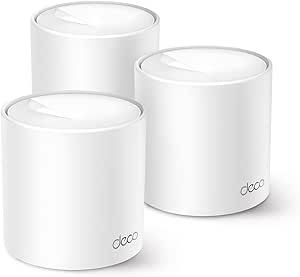 | Best Renewed Coverage Pick | Model: Deco W4500 | Condition: Renewed | Wi-Fi standard: Wi-Fi 6 (AX1500) | VIEW ON AMAZON | See Our Full Breakdown |
| Google WiFi AC1200 Mesh Router System Bundle (3-Pack) – Snow |  | Best for Google Home Beginners | Wi-Fi generation: Wi-Fi 5 (802.11ac) | Bands: Dual-band | Data transfer rate: Up to 1,200 Mbps | VIEW ON AMAZON | See Our Full Breakdown |
| multiroom wifi mesh system | Coverage | Wi-Fi standard | Bands | Device capacity |
|---|---|---|---|---|
| NETGEAR Orbi 370 Series WiFi 7 | Up to 6,000 sq ft | — | — | — |
| eero 6+ Mesh WiFi System | Up to 4,500 sq ft | Wi-Fi 6 (802.11ax) | — | 75+ devices |
| TP-Link Deco S4 2-Pack Whole H | Up to 3,800 sq ft | — | — | — |
| TP-Link Deco 7 BE23 Dual-Band | Up to 6,500 sq ft | WiFi 7 | — | 150+ |
| TP-Link Deco S4 Mesh AC1900 Wi | Up to 5,500 sq ft | Wi-Fi 5 (802.11ac) | — | — |
| TP-Link Deco 7 Pro Tri-Band Wi | Up to 7,600 sq. ft. | Wi-Fi 7 (802.11be) | Tri-band: 2.4 GHz, 5 GHz, and 6 GHz | 200+ devices |
| TP-Link Deco X15 Dual-Band AX1 | Up to 5,600 sq. ft. | Wi-Fi 6 (802.11ax) | Dual-band | Up to 120 devices |
| Deco 7 Dual-Band BE5000 WiFi 7 | Up to 6,600 sq. ft. | Wi-Fi 7 (802.11be), with backward compatibility listed for Wi-Fi 6, 5, 4, and earlier standards | Dual-band | Over 150 devices |
| TP-Link Deco X15 Dual-Band AX1 | Up to 3,900 sq. ft. | Wi-Fi 6 (802.11ax) | Dual-band | Up to 120 devices |
| TP-Link Deco X55 AX3000 WiFi 6 | Up to 6,500 sq. ft. | Wi-Fi 6 (802.11ax) | Dual-band: 2.4 GHz and 5 GHz | Up to 150 devices |
| TP-Link AX1500 Wi-Fi 6 Dual-Ba | Up to 3,900 sq. ft. | 802.11ax (Wi-Fi 6) | Dual-band, 2.4 GHz and 5 GHz | — |
| Tenda Nova Mesh WiFi System MW | Up to 3,500 sq. ft. | 802.11ac (Wi-Fi 5) | Dual-band, 2.4 GHz and 5 GHz | — |
| Deco 7 Pro Tri-Band Wi-Fi 7 Me | Up to 8,100 sq. ft. | — | Tri-band | — |
| TP-Link Deco W4500 Wi-Fi 6 Mes | Up to 5,600 sq. ft. | Wi-Fi 6 (AX1500) | — | Up to 120 devices |
| Google WiFi AC1200 Mesh Router | Up to 4,500 sq. ft. | — | Dual-band | — |
More Details on Our Top Picks
NETGEAR Orbi 370 Series WiFi 7 Mesh System (3-Pack)
For a large home with a fast cable or fiber plan, the Orbi 370’s stated 6,000-square-foot coverage and WiFi 7 support make it a stronger fit than the older Wi-Fi 5 TP-Link Deco S4 3-Pack. Its enhanced backhaul is intended to keep communication between mesh units moving quickly, which can help when several rooms are streaming or gaming at once. The system also lists 10 ports, including 2.5 Gbps LAN bandwidth, offering more wired flexibility than the eero 6+, which has two gigabit ports per unit. The tradeoff is that dual-band WiFi 7 does not have a dedicated third band, and the headline speed depends on the internet plan and client devices. I’d also factor in that NETGEAR Armor moves to a separate subscription after its trial, and this model is intended for US use.
Pros:- Rated to cover up to 6,000 square feet with three units
- WiFi 7 and enhanced backhaul support demanding household traffic
- Lists 10 ports and 2.5 Gbps LAN bandwidth for wired connections
- Orbi app setup, WPA3 support, and automatic firmware updates
Cons:- NETGEAR Armor requires a separate subscription after the 30-day trial
- Designed for use in the US only
- Actual speeds depend on the internet plan, placement, and connected devices
Best for: Households in larger US homes with a cable or fiber connection, newer WiFi 7 devices, and several wired or high-traffic devices to connect.
Not ideal for: Buyers outside the US, homes with modest internet plans that will not benefit from WiFi 7 headroom, or anyone unwilling to pay separately for NETGEAR Armor after the trial.
- WiFi generation:WiFi 7
- Coverage:Up to 6,000 sq ft
- Maximum stated speed:Up to 5 Gbps
- Frequency bands:Dual-band
- Maximum devices:Up to 70
- Ports:10
- LAN port bandwidth:2.5 Gbps
- Security:WPA3, WPA2-PSK
- Setup and compatibility:Orbi app; cable or fiber ISP
Our verdict“Choose the Orbi 370 for broad coverage, WiFi 7 capability, and substantial wired connectivity in a large US home.”
eero 6+ Mesh WiFi System (3-Pack)
The eero 6+ is a sensible pick for households that want mesh coverage without making network setup a project. Its app-led setup, Wi-Fi 6 support, and stated coverage of 4,500 square feet suit many homes with gigabit internet, while the built-in Zigbee and Thread hub can connect compatible smart-home devices without a separate hub. That makes it a more approachable connected-home choice than the WiFi 7-focused NETGEAR Orbi 370, which offers higher stated peak speed and more ports but targets a different kind of buyer. The eero’s limits are clear: it supports plans up to 1 Gbps, and each unit has only two gigabit Ethernet ports. Some advanced security features also require a subscription, so buyers seeking extensive local configuration or subscription-free security may prefer another system.
Pros:- App-based setup and management keep installation approachable
- Covers up to 4,500 square feet with three units
- Built-in Zigbee and Thread smart-home hub
- Supports more than 75 connected devices and automatic security updates
Cons:- Supported internet speeds are capped at up to 1 Gbps
- Two gigabit Ethernet ports per unit may limit wired setups
- Some advanced security features require a subscription
Best for: People setting up mesh Wi-Fi for the first time who have a gigabit-or-slower plan and want a built-in hub for compatible Zigbee or Thread devices.
Not ideal for: Households with internet service above 1 Gbps, many wired devices, or a preference for advanced features without subscription requirements.
- Wi-Fi standard:Wi-Fi 6 (802.11ax)
- Coverage:Up to 4,500 sq ft
- Supported internet speed:Up to 1 Gbps
- Units:3
- Device capacity:75+ devices
- Ethernet:2 gigabit ports per unit
- Smart-home hub:Zigbee and Thread
- Dimensions:3.9 x 3.8 x 2.6 in
- Warranty:1 year
Our verdict“Pick the eero 6+ if straightforward setup and a built-in smart-home hub matter more than WiFi 7 speeds or extensive wired connectivity.”
TP-Link Deco S4 2-Pack Whole Home Mesh WiFi System
The Deco S4 2-Pack is the modest, practical option here: it covers up to 3,800 square feet, supports up to 75 devices, and provides seamless roaming under a single network name. For a smaller home or a layout where two well-placed nodes can reach the main rooms, that can avoid buying a third unit you may not need. Compared with the three-unit Deco S4 AC1900 system, this pack offers less stated coverage, but its wired Ethernet backhaul gives buyers a way to link units directly when a cable run is available. It is an older AC1900-class system, not Wi-Fi 6 or WiFi 7, so it is a less suitable match for the fastest modern plans and devices. Most ISP setups also need a separate modem.
Pros:- Two-unit pack can suit homes that do not need three mesh nodes
- Stated coverage reaches up to 3,800 square feet
- Wired Ethernet backhaul can improve node-to-node connectivity
- Deco app setup, seamless roaming, and parental controls
Cons:- Two units provide less coverage than the three-pack Deco S4
- AC1900 Wi-Fi is an older generation than Wi-Fi 6 and WiFi 7 options
- Most ISP configurations require a separate modem
Best for: Residents of smaller homes or apartments who want a two-node mesh, have a modem, and can use Ethernet wiring between units.
Not ideal for: People with large or multi-story homes needing the wider reach of a three-pack, or households looking for Wi-Fi 6 or WiFi 7.
- Wi-Fi class:AC1900
- Coverage:Up to 3,800 sq ft
- Units:2
- Supported devices:Up to 75
- Ethernet ports:2 per unit; 4 total
- Backhaul:Wired Ethernet supported
- Setup:Deco app
- Compatibility:Works with all major ISPs
Our verdict“Choose this Deco S4 pack for a smaller home that needs two coordinated nodes and can make use of wired backhaul.”
TP-Link Deco 7 BE23 Dual-Band WiFi 7 Mesh System (3-Pack)
When a household has a crowded network, the Deco 7 BE23’s stated support for 150+ devices is its most useful distinction. The three-pack is rated for up to 6,500 square feet, making it a broad-coverage WiFi 7 option that also accommodates dense smart-home setups. Compared with the NETGEAR Orbi 370, the BE23 claims greater coverage and device capacity, while the Orbi lists a higher maximum speed and more ports. The Deco’s two 2.5 Gbps WAN/LAN ports are useful for a fast connection or wired device, but do not amount to a large bank of multi-gig ports. WiFi 7 features also bring less benefit to devices that lack WiFi 7 support, and a three-pack can be excessive in a compact home. Some buyers may find setup and configuration less simple than the eero 6+.
Pros:- Three units are rated for coverage up to 6,500 square feet
- Supports more than 150 connected devices
- WiFi 7 support with stated speeds up to 3.6 Gbps
- Two 2.5 Gbps WAN/LAN ports and WPA3 security
Cons:- WiFi 7 benefits depend on compatible client devices
- Three units may be unnecessary for smaller homes
- Setup and configuration may be less approachable for some users
Best for: Families or smart-home owners with a large home, many simultaneous connections, and at least some newer WiFi 7 devices.
Not ideal for: Small-space households, buyers with few connected devices, or anyone expecting older Wi-Fi devices to reach WiFi 7 performance.
- Wi-Fi standard:WiFi 7
- Maximum stated speed:Up to 3.6 Gbps
- Coverage:Up to 6,500 sq ft
- Units:3
- Device capacity:150+
- Ports:2 x 2.5 Gbps WAN/LAN
- Antennas:4 high-gain antennas
- Memory:512 MB RAM, 128 MB flash
- Security:HomeShield and WPA3
Our verdict“Choose the Deco 7 BE23 when broad coverage and a high device count matter more than simple setup or a larger set of wired ports.”
TP-Link Deco S4 Mesh AC1900 WiFi System (3-Pack)
The three-unit Deco S4 is the straightforward choice for buyers who want wide mesh coverage without moving up to a newer Wi-Fi generation. Its stated 5,500-square-foot reach exceeds the two-pack Deco S4’s 3,800-square-foot rating, so it makes more sense for a larger home with several rooms to connect. The Deco app, single mesh network, and parental controls help keep everyday management simple. There are also six gigabit Ethernet ports across the three units, useful for connecting a few stationary devices. The tradeoff is that this is Wi-Fi 5, unlike the Wi-Fi 6 eero 6+ or WiFi 7 systems elsewhere in this roundup, and the listed maximum data rate is 1,200 Mbps. Buyers with the fastest plans or newer devices should favor a newer system. A modem is required for most ISPs.
Pros:- Three units are rated to cover up to 5,500 square feet
- Six gigabit Ethernet ports across the system
- Deco app setup and parental controls
- Compatible with WiFi-enabled devices and major ISPs
Cons:- Uses Wi-Fi 5 rather than Wi-Fi 6 or WiFi 7
- Listed maximum data rate is 1,200 Mbps
- A separate modem is required for most ISP services
Best for: Households with a larger floor plan, mostly Wi-Fi 5 devices, and a need for multiple mesh nodes plus a few wired connections.
Not ideal for: Buyers seeking Wi-Fi 6 or WiFi 7, planning to use the fastest available internet plans, or expecting the system to replace a modem.
- Wi-Fi standard:Wi-Fi 5 (802.11ac)
- Coverage:Up to 5,500 sq ft
- Units:3
- Maximum data rate:1,200 Mbps
- Frequency bands:Dual-band, 2.4 GHz and 5 GHz
- Ethernet ports:2 gigabit ports per unit; 6 total
- Antenna count:9
- Setup:Deco app
- ISP compatibility:All major providers; modem required for most
Our verdict“Pick the three-pack Deco S4 for broad coverage and basic wired connections in a home that does not need newer Wi-Fi standards.”
TP-Link Deco 7 Pro Tri-Band WiFi 7 BE10000 Whole Home Mesh System (3-Pack)
For a large, device-heavy home where wireless capacity and wired connections both matter, the Deco 7 Pro is the most capable option in this group. Its tri-band Wi-Fi 7 design adds a 6 GHz band, while the 10G and 2.5G ports give fast wired devices and compatible internet plans room to grow. That makes it a stronger fit for demanding setups than the dual-band Deco 7 BE5000, though the latter may suit households that want Wi-Fi 7 without as many high-speed ports. The three-unit system is rated to cover up to 7,600 square feet and support over 200 devices. Its tradeoffs are real: many clients cannot use Wi-Fi 7 yet, and the system needs a separate modem for most internet service. I’d skip it if your current needs are modest.
Pros:- Tri-band Wi-Fi 7 includes a dedicated 6 GHz band for compatible devices.
- 10G and 2.5G WAN/LAN ports provide unusually flexible wired connectivity.
- Rated for up to 7,600 square feet and more than 200 devices.
- Deco app setup and HomeShield security and parental controls are included.
Cons:- Wi-Fi 7 features deliver less value when most devices use older Wi-Fi generations.
- A separate modem is required for most internet providers.
- More hardware than many households need compared with the dual-band Deco 7 BE5000.
Best for: Owners of large homes with many connected devices, multi-gig internet, and wired equipment that can use its 10G or 2.5G ports.
Not ideal for: Small-home households with basic internet plans and mostly older devices, who are unlikely to benefit from its Wi-Fi 7 and multi-gig hardware.
- Wi-Fi standard:Wi-Fi 7 (802.11be)
- Speed class:BE10000; up to 10 Gbps combined
- Bands:Tri-band: 2.4 GHz, 5 GHz, and 6 GHz
- Coverage:Up to 7,600 sq. ft.
- Device capacity:200+ devices
- Ports:1 × 10G WAN/LAN, 4 × 2.5G WAN/LAN, 1 × USB 3.0
- Backhaul:Simultaneous wired and wireless
- Security and setup:TP-Link HomeShield; Deco app
- Pack size:3 units
Our verdict“Choose the Deco 7 Pro for a large, busy home that can make use of its tri-band Wi-Fi 7 and multi-gig ports.”
TP-Link Deco X15 Dual-Band AX1500 WiFi 6 Mesh Wi-Fi System (3-Pack)
The three-unit Deco X15 is a coverage-first choice for households that need to fill a large floor plan without moving to Wi-Fi 7 hardware. It is rated for up to 5,600 square feet and 120 devices, so it offers a wider stated reach than the two-unit X15, while keeping the same AX1500 dual-band class. That speed class is more modest than the Deco X55 AX3000, which is a better match for homes with heavier simultaneous streaming or faster local connections. The X15’s app-led setup and AI-driven mesh help make roaming between rooms straightforward, but its three Gigabit Ethernet ports provide fewer wired connections than the X55’s nine across three units. I’d choose it for everyday browsing and streaming across a large home, not for buyers seeking the highest throughput or extensive wired networking.
Pros:- Three units are rated to cover up to 5,600 square feet.
- Wi-Fi 6 mesh supports up to 120 connected devices.
- Deco app simplifies setup and network management.
- AI-driven mesh supports roaming between nodes.
Cons:- AX1500 dual-band performance is more limited than the Deco X55 AX3000.
- Only three Gigabit Ethernet ports are listed for the system.
- A separate modem is required for internet access.
Best for: Households seeking three-node Wi-Fi 6 coverage for a large home, with everyday streaming, browsing, and smart-home use.
Not ideal for: Homes with demanding bandwidth needs or several wired devices, where the faster Deco X55 AX3000 and its greater port count are a better fit.
- Wi-Fi standard:Wi-Fi 6 (802.11ax)
- Speed class:AX1500; maximum listed speed 1,501 Mbps
- Bands:Dual-band
- Coverage:Up to 5,600 sq. ft.
- Device capacity:Up to 120 devices
- Ethernet ports:3 Gigabit Ethernet ports
- Security:WPA3, WPA2, and WPA-Personal; HomeShield
- Management:Deco app, remote, and voice control
- Pack size:3 units
Our verdict“Pick the three-unit X15 when broad Wi-Fi 6 coverage matters more than high throughput or plentiful Ethernet ports.”
Deco 7 Dual-Band BE5000 WiFi 7 Mesh System
The Deco 7 BE5000 brings Wi-Fi 7 to a dual-band mesh, offering a middle ground between older Wi-Fi 6 systems and the more elaborate Deco 7 Pro. Its listed speed reaches 5 Gbps, and coverage is rated up to 6,600 square feet, making it a fit for homes that want newer client support across several rooms but do not need the Pro’s 10G and multiple 2.5G ports. The tradeoff is that dual-band hardware lacks the Pro’s separate 6 GHz band, so it is not the pick for buyers focused on tri-band capacity or multi-gig wired connections. AI-Roaming is intended to help devices move between nodes, while the two listed ports limit wired expansion. I’d choose it over the Deco X55 when Wi-Fi 7 is a priority, but favor the X55 when more Ethernet connections matter.
Pros:- Wi-Fi 7 support at a lower hardware tier than the tri-band Deco 7 Pro.
- Rated for up to 6,600 square feet of coverage.
- Listed to support over 150 connected devices.
- AI-Roaming is designed to keep connections moving between mesh nodes.
Cons:- Dual-band design does not include the Deco 7 Pro’s 6 GHz band.
- Only two ports are listed, limiting wired device connections.
- A separate modem is required for internet access, and results vary with home layout.
Best for: Households upgrading to Wi-Fi 7 that want broad stated coverage but do not need the Deco 7 Pro’s tri-band design or multi-gig port selection.
Not ideal for: Users with multi-gig wired networks or a strong need for a 6 GHz mesh band, who should look at the Deco 7 Pro instead.
- Wi-Fi standard:Wi-Fi 7 (802.11be), with backward compatibility listed for Wi-Fi 6, 5, 4, and earlier standards
- Maximum speed:Up to 5 Gbps
- Bands:Dual-band
- Coverage:Up to 6,600 sq. ft.
- Device capacity:Over 150 devices
- Ports:2 ports; LAN port bandwidth listed at 2.5 Gbps
- Security:WPA3, WPA2, and WPA-Personal
- Roaming:AI-Roaming
- Management:App, remote, and voice control
Our verdict“Choose this Deco 7 if you want Wi-Fi 7 and broad coverage but do not need the Pro model’s tri-band and multi-gig wired features.”
TP-Link Deco X15 Dual-Band AX1500 WiFi 6 Mesh Wi-Fi System (2-Pack)
This two-unit Deco X15 is the more restrained way to build a Wi-Fi 6 mesh when a three-node setup would be unnecessary. Its stated coverage of up to 3,900 square feet suits many modest homes, and the two units offer four Gigabit Ethernet ports in total for wired devices or backhaul. Compared with the three-pack X15, it covers less area and includes fewer nodes; compared with the Deco X55, it also has a lower AX1500 speed class. That makes it a practical fit for routine browsing, video calls, and streaming rather than a high-throughput network for demanding households. HomeShield and voice-assistant compatibility add convenience, though some advanced security features may require a subscription. I’d skip it if you have a large, multi-level property that needs the broader coverage of a three-unit system.
Pros:- Two units are rated to cover up to 3,900 square feet.
- Wi-Fi 6 mesh supports up to 120 devices.
- Four Gigabit Ethernet ports across the system allow wired connections or backhaul.
- Deco app setup and Alexa and Google Assistant control are supported.
Cons:- AX1500 throughput is lower than the Deco X55 AX3000.
- Two nodes provide less coverage flexibility than the three-pack X15.
- Some advanced HomeShield security features may require a paid subscription.
Best for: Residents of smaller homes who want a two-node Wi-Fi 6 mesh, app-based management, and a few wired connections.
Not ideal for: Owners of large or multi-level homes, or households needing faster throughput than the AX1500 class provides; consider the three-pack X15 or Deco X55.
- Wi-Fi standard:Wi-Fi 6 (802.11ax)
- Speed class:AX1500: 1,201 Mbps on 5 GHz and 300 Mbps on 2.4 GHz
- Bands:Dual-band
- Coverage:Up to 3,900 sq. ft.
- Device capacity:Up to 120 devices
- Ports:2 Gigabit Ethernet ports per unit; 4 total
- Security:WPA-Personal, WPA2-Personal, and WPA3-Personal; HomeShield
- Control:Deco app, Alexa, and Google Assistant
- Pack size:2 units
Our verdict“Choose the two-pack X15 for a smaller home that needs straightforward Wi-Fi 6 mesh coverage without extra nodes.”
TP-Link Deco X55 AX3000 WiFi 6 Mesh System (3-Pack)
The Deco X55 AX3000 is the strongest fit here for households that want capable Wi-Fi 6 mesh without moving to Wi-Fi 7. Its three units are rated for up to 6,500 square feet, and nine Gigabit Ethernet ports in total make wired backhaul and room-by-room connections easier than on either X15 configuration. Compared with the Deco 7 BE5000, the X55 lacks Wi-Fi 7 and a 6 GHz band, but its three ports per unit give it a more useful wired layout than that model’s two listed ports. The AX3000 class also places it well above the AX1500 X15 options for listed throughput. The tradeoff is that it remains a dual-band Wi-Fi 6 system, so buyers seeking Wi-Fi 7 or multi-gig Ethernet should look elsewhere. A modem is needed for most internet connections.
Pros:- Three units are rated to cover up to 6,500 square feet.
- AX3000 Wi-Fi 6 class offers more listed throughput than the AX1500 X15 systems.
- Nine Gigabit Ethernet ports support wired backhaul and multiple wired devices.
- Deco app setup and HomeShield security are included.
Cons:- Wi-Fi 6 dual-band hardware lacks the 6 GHz band and Wi-Fi 7 support of the Deco 7 systems.
- Gigabit Ethernet ports do not provide the multi-gig wired capacity of the Deco 7 Pro.
- A separate modem is required for most internet providers.
Best for: Families in large homes who want Wi-Fi 6 coverage, wired backhaul options, and Ethernet ports for TVs, consoles, or desktop computers.
Not ideal for: Buyers building a Wi-Fi 7 or multi-gig network, who should compare it with the Deco 7 BE5000 or Deco 7 Pro.
- Wi-Fi standard:Wi-Fi 6 (802.11ax)
- Speed class:AX3000: 2,402 Mbps at 5 GHz and 574 Mbps at 2.4 GHz
- Bands:Dual-band: 2.4 GHz and 5 GHz
- Coverage:Up to 6,500 sq. ft.
- Device capacity:Up to 150 devices
- Ethernet ports:3 Gigabit Ethernet ports per unit; 9 total
- Backhaul:Wired backhaul supported
- Security:WPA-Personal, WPA2-Personal, and WPA3-Personal; HomeShield
- Pack size:3 units
Our verdict“Pick the Deco X55 if you want a wide-coverage Wi-Fi 6 mesh with more wired connection options than the X15 models.”
TP-Link AX1500 Wi-Fi 6 Dual-Band AI-Driven Home Mesh Router System – Deco W3000 (2-Pack)
I’d shortlist the Deco W3000 for a home that needs newer Wi-Fi without a three-node setup. Its two units are rated for coverage up to 3,900 sq. ft., and AI-driven mesh optimization is designed to steer devices toward a suitable connection as people move around the house. Compared with the older Tenda Nova MW5G and Google WiFi AC1200, this system adds Wi-Fi 6 and a stated capacity of up to 120 devices, giving it more headroom for a busy connected home.
The tradeoff is its dual-band AX1500 design: it lacks the extra band and multi-gig connections of the Deco 7 Pro, so it is not the pick for demanding multi-gig internet or heavy simultaneous traffic. Its 90-day limited warranty is also notably short. I’d choose it for straightforward whole-home coverage, not long-term reassurance or maximum throughput.
Pros:- Two-unit system is rated to cover up to 3,900 sq. ft.
- Wi-Fi 6 and support for up to 120 devices suit a connected household.
- AI-driven mesh is designed to optimize performance as devices move between units.
- Includes parental controls and HomeShield IoT protection.
Cons:- Dual-band AX1500 hardware offers less capacity than the tri-band Deco 7 Pro.
- The 90-day limited warranty is short.
- Only two units are included, which may constrain placement options in homes with a complex layout.
Best for: Households replacing an older router that want Wi-Fi 6 coverage across a medium-to-large home with two mesh units.
Not ideal for: Buyers with multi-gig internet, heavy simultaneous network loads, or a preference for a longer stated warranty.
- Wi-Fi standard:802.11ax (Wi-Fi 6)
- Bands:Dual-band, 2.4 GHz and 5 GHz
- Maximum data rate:1.5 Gbps
- Coverage:Up to 3,900 sq. ft.
- Supported devices:Up to 120
- Pack quantity:2 units
- Security:Advanced firewall and TP-Link HomeShield IoT protection
- Warranty:90-day limited
Our verdict“Choose the Deco W3000 if two-node Wi-Fi 6 coverage and built-in household protections matter more than premium throughput or a longer warranty.”
Tenda Nova Mesh WiFi System MW5G – AC1200 Whole Home Mesh Router, 3-Pack
The Tenda Nova MW5G earns its place for buyers who value three placement points and simple roaming over newer Wi-Fi standards. Its three nodes are rated for up to 3,500 sq. ft., with one network name to reduce the hassle of switching networks while moving through the home. The Tenda app handles setup and management, while gigabit Ethernet ports provide options for wired devices or connections between parts of the network.
Against the Deco W3000, the MW5G gives you an extra node but steps down from Wi-Fi 6 to Wi-Fi 5 AC1200 and lists capacity for 80 rather than 120 devices. That makes it a less suitable fit for a home with many newer devices or demanding simultaneous use. Its coverage rating also falls short of the Google WiFi AC1200. I’d favor this model for basic household use where three-node placement and easy app setup take priority.
Pros:- Three nodes offer flexible placement around a home.
- Single-network roaming avoids manual switching between access points.
- Gigabit Ethernet ports support wired connections.
- Tenda app setup, guest networking, and Alexa and Google Assistant compatibility are included.
Cons:- Wi-Fi 5 AC1200 is an older standard than the Wi-Fi 6 Deco W3000.
- Device support is listed at up to 80, below the W3000’s stated 120.
- Rated coverage of 3,500 sq. ft. may not suit larger homes.
Best for: Households seeking an entry-level three-node mesh layout for everyday browsing, streaming, and wired home devices.
Not ideal for: Homes with many demanding devices, Wi-Fi 6 clients, or a coverage requirement beyond the stated 3,500 sq. ft.
- Wi-Fi standard:802.11ac (Wi-Fi 5)
- Bands:Dual-band, 2.4 GHz and 5 GHz
- Maximum speed:AC1200, up to 1,200 Mbps
- Coverage:Up to 3,500 sq. ft.
- Supported devices:Up to 80
- Number of units:3
- Ports:6 Gigabit Ethernet ports per unit, as listed
- Security and guest network:WPA, WPA-PSK, WPA2-PSK; guest network supported
Our verdict“Pick the MW5G for straightforward three-node coverage and wired ports, but choose a Wi-Fi 6 system if your home has newer devices or heavier network use.”
Deco 7 Pro Tri-Band Wi-Fi 7 Mesh System, 10Gbps Internet, 3 Pack
For a large home packed with devices, I’d put the Deco 7 Pro BE67 ahead of the more modest mesh kits in this group. This three-unit tri-band Wi-Fi 7 system is rated for up to 8,100 sq. ft. and over 200 devices; its Multi-Link Operation and AI-driven roaming are aimed at maintaining responsive connections as clients move around or share network capacity. A 10 Gbps WAN port and a 2.5 Gbps WAN/LAN port also give it a much higher wired ceiling than the Deco W4500 or Google WiFi AC1200.
That capability comes with practical limits: the system is physically larger than compact basic nodes, a modem is not included, and some advanced features may require a subscription. It is also more system than a small household with ordinary broadband needs. Compared with the Deco 7 BE23, the BE67’s stated bandwidth and tri-band design make it the more ambitious fit for dense use, but buyers should match the hardware to their internet plan and home demands.
Pros:- Three units are rated to cover up to 8,100 sq. ft.
- Tri-band Wi-Fi 7 and up to 14 Gbps total bandwidth target high network demand.
- Supports over 200 devices.
- Includes a 10 Gbps WAN port and a 2.5 Gbps WAN/LAN port.
Cons:- A separate modem is required.
- Some advanced features may require a subscription.
- Larger nodes and high-end capabilities can be excessive for smaller or lightly connected homes.
Best for: Owners of large homes with many simultaneous users, Wi-Fi 7 devices, and multi-gig wired networking needs.
Not ideal for: Small households with ordinary broadband, limited space for larger nodes, or no need for advanced network features.
- Wi-Fi technology:Wi-Fi 7
- Bands:Tri-band
- Total bandwidth:Up to 14 Gbps
- Coverage:Up to 8,100 sq. ft.
- Number of units:3
- Device support:Over 200 devices
- Ports:1 x 10 Gbps WAN, 1 x 2.5 Gbps WAN/LAN, 1 x USB 3.0
- Dimensions:4.23 x 4.23 x 6.93 inches
Our verdict“Choose the Deco 7 Pro BE67 when a large, device-dense home can make use of Wi-Fi 7 and multi-gig networking, rather than paying in space and complexity for unused capacity.”
TP-Link Deco W4500 Wi-Fi 6 Mesh Router System (3-Pack, AX1500, Renewed)
The Deco W4500 suits buyers who need a broad Wi-Fi 6 footprint from three units but do not need Wi-Fi 7 speeds. Its stated coverage reaches up to 5,600 sq. ft., and support for up to 120 devices makes it a plausible match for a family home with streaming, calls, and gaming happening across several rooms. OFDMA and MU-MIMO are intended to help serve multiple connected devices more efficiently; compared with the two-unit Deco W3000, this three-pack offers a higher stated coverage area and another node for placement.
The main qualification is the renewed condition, which may mean cosmetic wear, so it is less appealing to buyers who want new hardware. Its AX1500 speed is also modest beside the Deco 7 Pro and its Wi-Fi 7, tri-band design. I’d choose the W4500 for coverage and device capacity, not for top-end throughput or a pristine-product expectation.
Pros:- Three units are rated to cover up to 5,600 sq. ft.
- Wi-Fi 6 support and capacity for up to 120 devices suit busy households.
- OFDMA and MU-MIMO are designed to manage multiple connected devices.
- Seamless roaming is designed to move devices between nodes automatically.
Cons:- Renewed condition may include cosmetic wear.
- AX1500 is far less ambitious than the Wi-Fi 7 Deco 7 Pro.
- The supplied product details do not specify warranty coverage.
Best for: Buyers who need three-node Wi-Fi 6 coverage across a larger home and are comfortable purchasing renewed equipment.
Not ideal for: Shoppers who require new condition, want Wi-Fi 7 or higher throughput, or need a stated warranty that is not provided in the supplied product details.
- Model:Deco W4500
- Condition:Renewed
- Wi-Fi standard:Wi-Fi 6 (AX1500)
- Maximum speed:1,500 Mbps
- Speed by band:5 GHz: 1,201 Mbps; 2.4 GHz: 300 Mbps
- Coverage:Up to 5,600 sq. ft.
- Device capacity:Up to 120 devices
- Pack quantity:3 units
Our verdict“The renewed Deco W4500 is a sensible coverage-first choice for larger homes that want three Wi-Fi 6 nodes and accept the condition tradeoff.”
Google WiFi AC1200 Mesh Router System Bundle (3-Pack) – Snow
The Google WiFi AC1200 is the easy-entry option for households that want a three-node mesh managed through an app they may already use. Google Home handles setup, device management, parental controls, and guest networks, while the understated units are designed to blend into shared rooms. Its stated 4,500 sq. ft. coverage exceeds the Tenda Nova MW5G’s 3,500 sq. ft., making it the more suitable of these two Wi-Fi 5 choices for a larger floor plan on paper.
The tradeoff is age and capacity: this is Wi-Fi 5 AC1200, not Wi-Fi 6 like the Deco W4500, and the supplied device-support details do not state a maximum number of clients. It also lacks the Wi-Fi 7 headroom and multi-gig ports of the Deco 7 Pro. I’d choose Google WiFi for simple household management and broad stated coverage, rather than for future-facing speed or demanding network workloads.
Pros:- Three units are rated to cover up to 4,500 sq. ft.
- Google Home app supports setup and network management.
- Includes parental controls and guest networking.
- Each unit has three LAN ports listed, with gigabit bandwidth.
Cons:- Wi-Fi 5 AC1200 is older than the Wi-Fi 6 Deco W4500.
- The supplied product details do not state a maximum supported device count.
- It lacks the multi-gig connectivity and Wi-Fi 7 capabilities of the Deco 7 Pro.
Best for: Google Home users who want app-based setup, parental controls, and a three-node mesh for everyday home connectivity.
Not ideal for: Households prioritizing Wi-Fi 6 or Wi-Fi 7, high network capacity, or multi-gig wired connections.
- Wi-Fi generation:Wi-Fi 5 (802.11ac)
- Bands:Dual-band
- Data transfer rate:Up to 1,200 Mbps
- Maximum upstream data transfer rate:867 Mbps
- Coverage:Up to 4,500 sq. ft.
- Number of units:3
- Ports per unit:3 LAN ports
- LAN port bandwidth:1,000 Mbps
- Security protocol:WPA3
Our verdict“Choose Google WiFi if easy Google Home management and broad three-node coverage matter more than newer Wi-Fi standards or high-end throughput.”

How We Picked
I ranked these multiroom WiFi mesh systems by how well their stated wireless generation, class, node count, and feature tier match the needs of a whole-home network. I gave more weight to systems that offer a useful balance of current-device support, room-to-room capacity, and flexibility than to a large coverage claim or a newer WiFi label by itself. I also separated dual-band WiFi 7 kits from tri-band WiFi 7 systems, since the latter target a more demanding buyer and carry a different performance proposition.
The order reflects fit across common household needs, not a claim that every model will perform identically in every building. I considered whether a system makes sense for an entry-level, medium-size, or performance-focused setup; whether a two-pack or three-pack is the more sensible fit; and what buyers give up by choosing an older or lower-tier model. Since the supplied product details do not establish uniform independent test results, I avoid treating coverage figures or device counts as guaranteed outcomes. The reviews should be read as a comparison of product positioning and tradeoffs, with home layout, wired connections, and internet speed shaping the final choice.
| multiroom wifi mesh system | Bands |
|---|---|
| NETGEAR Orbi 370 Series WiFi 7 | — |
| eero 6+ Mesh WiFi System | — |
| TP-Link Deco S4 2-Pack Whole H | — |
| TP-Link Deco 7 BE23 Dual-Band | — |
| TP-Link Deco S4 Mesh AC1900 Wi | — |
| TP-Link Deco 7 Pro Tri-Band Wi | Tri-band: 2.4 GHz, 5 GHz, and 6 GHz |
| TP-Link Deco X15 Dual-Band AX1 | Dual-band |
| Deco 7 Dual-Band BE5000 WiFi 7 | Dual-band |
| TP-Link Deco X15 Dual-Band AX1 | Dual-band |
| TP-Link Deco X55 AX3000 WiFi 6 | Dual-band: 2.4 GHz and 5 GHz |
| TP-Link AX1500 Wi-Fi 6 Dual-Ba | Dual-band, 2.4 GHz and 5 GHz |
| Tenda Nova Mesh WiFi System MW | Dual-band, 2.4 GHz and 5 GHz |
| Deco 7 Pro Tri-Band Wi-Fi 7 Me | Tri-band |
| TP-Link Deco W4500 Wi-Fi 6 Mes | — |
| Google WiFi AC1200 Mesh Router | Dual-band |
Factors to Consider When Choosing Multiroom Wifi Mesh Systems
Before choosing a kit, I would match the system to the home and the internet connection rather than buying the newest WiFi generation on its own. These broader checks can prevent paying for capacity you cannot use—or selecting too few nodes to reach the rooms that matter.
Match WiFi generation to your devices and internet plan
WiFi 7 is most useful when your devices and broadband can take advantage of it. If most phones, laptops, and smart-home gear use older WiFi standards, a WiFi 6 system can be a more balanced choice. Your internet plan also sets a ceiling: a faster mesh standard cannot make a slower service plan deliver more internet bandwidth. Think beyond the current device list if you expect to keep the system for years, but avoid paying for a generation upgrade that does not address a real limitation. Local network tasks, such as moving files between devices, may also matter even when internet speed is modest. Compare the specific model tier, not just the WiFi number printed on the box.
Choose node count for the floor plan, not the headline coverage
More nodes can improve placement options, but they are not automatically better. A two-pack may be enough for a compact, open home, while a three-pack can help reach separated rooms or another floor. Nodes need a usable signal from one another, so placing them too far apart can weaken the connection they are meant to extend. Dense walls, masonry, and metal can disrupt coverage more than a simple square-foot figure suggests. Avoid placing every node in the rooms with the weakest signal; the middle of the route may be a better location. If possible, check coverage room by room after setup and move nodes before adding more hardware.
Understand dual-band versus tri-band mesh
Band configuration can shape how well nodes communicate. Dual-band systems share their available wireless capacity between connected devices and mesh traffic, while tri-band models add another band that can help with network load and backhaul, depending on the system design. That added capability is most relevant when nodes connect wirelessly across a busy or demanding home. It may matter less when nodes are close together, the device load is light, or Ethernet connects the units. Do not assume every tri-band model dedicates a band exclusively to backhaul; check the product specifications. A less expensive dual-band kit may be the sensible fit when the home and usage do not call for the extra capacity.
Check Ethernet ports and wired backhaul needs
Wired backhaul can make node-to-node links more dependable when Ethernet runs are available between rooms. It can also leave more wireless capacity for phones, TVs, and computers rather than mesh traffic. Port count and port speed vary by model, so check them before purchase if you plan to connect a desktop, network storage, or a wired access point. A fast internet port matters only if your service and other network equipment can use that speed. If you cannot run Ethernet, prioritize sensible node spacing and avoid hiding units in cabinets or behind large obstacles. Consider future wiring plans as well; a system with suitable ports can remain useful through a home renovation or broadband upgrade.
Compare management, security, and maintenance needs
Setup is only one part of owning a mesh system. App controls, guest-network options, parental controls, security tools, and update policies can affect daily use long after installation. Check which features are included with the hardware and whether advanced controls require a subscription or account. Households that want a set-and-forget network may prefer straightforward controls, while a technically involved buyer may want more settings and visibility. Firmware support matters because routers remain connected to every device in the home. Before replacing an existing router, check whether the new mesh system supports bridge or access-point modes if you need to keep your current modem-router setup.
Buy for real capacity, not an inflated device count
A high supported-device figure does not describe how well a network handles simultaneous heavy use. A smart plug that sends occasional updates places a different demand on WiFi than a streaming television or a video-call laptop. List the devices that use substantial bandwidth at the same time, then think about where they are located and whether they can connect by Ethernet. A household with many low-traffic smart-home devices may need stable coverage more than premium throughput. A home with several simultaneous streams, large downloads, and newer phones may benefit from a stronger system tier. Leave some headroom for future devices, but do not treat a maximum device count as a guarantee of performance.
Frequently Asked Questions
Is a WiFi 7 mesh system worth choosing if most of my devices are WiFi 6?
Usually, not for the WiFi generation alone. WiFi 7 systems can still connect older devices, but those devices will not gain WiFi 7 capabilities. The extra cost and hardware tier make more sense if you plan to add compatible devices, have a fast broadband connection, or need more network capacity. A well-chosen WiFi 6 kit may serve an older-device household better than an underused premium system. Compare band configuration and ports too, since they can matter more to your setup than the generation label.
Should I choose a two-pack or a three-pack for a two-story home?
Floor count alone cannot determine the right node count. A compact two-story home with an open staircase may work with two nodes, while a wider home with dense walls or separated rooms may need three. Start by placing the primary unit near the modem and put another node where it can still receive a strong signal while extending coverage upstairs. A third node can fill a gap, but placing it too far from the others may create a weak link rather than fix one. If possible, choose a system or retailer with a return option so you can confirm coverage in the actual layout.
Will mesh WiFi fix a slow internet connection?
Mesh can improve WiFi coverage, but it cannot raise the speed supplied by your internet provider. If a wired device near the modem is also slow, the issue may be the service plan, modem, or provider rather than weak room-to-room WiFi. If wired speeds are healthy but distant rooms struggle, mesh may help by bringing a stronger connection closer to those devices. Wireless node links can still reduce available throughput, especially when nodes are poorly placed or separated by difficult materials. Check both a wired speed and a WiFi speed in the problem room before replacing equipment.
Can I mix different Deco models or use a mesh kit with my existing router?
Compatibility depends on the exact model and configuration, so check manufacturer guidance before combining units. Systems in the same product family may support expansion, but mixed hardware can leave some features or performance unavailable. If you keep an existing router, the mesh kit may need bridge or access-point mode to avoid routing conflicts and double NAT. Those modes can affect which parental controls, security tools, and network settings remain available. Confirm the model-specific setup instructions and decide which device should handle routing before connecting the whole network.
Is the refurbished Deco W4500 a sensible choice over a new AX1500 mesh kit?
It may suit a buyer prioritizing basic WiFi 6 coverage, but its renewed condition adds uncertainty. Compare the warranty, return window, included power supplies, and cosmetic or functional condition with a new AX1500 system before deciding. A new Deco X15 or W3000 kit may offer a clearer ownership path, even if its stated wireless tier is similar. For a network that supports work, security devices, or frequent streaming, warranty coverage and reliable support can matter as much as the hardware label. Choose the renewed option only when its condition and seller terms are clear enough for your comfort.
Conclusion
For the best overall balance, I would start with the TP-Link Deco X55 and its three-node WiFi 6 setup. Buyers seeking best value for basic coverage can look at the Deco S4, while the Deco X15 or W3000 are more suitable when WiFi 6 matters but a lower-tier system is enough. For best premium performance, the tri-band Deco 7 Pro models make the strongest case; the NETGEAR Orbi 370 is another WiFi 7 option for buyers who want a three-pack from a different lineup. Beginners who want a simple, familiar coverage upgrade can compare Google WiFi or the Deco S4, while homes that need newer standards should focus on the WiFi 7 Deco BE23 or BE5000 tiers. For a smaller layout, consider a two-pack; for multiple floors or separated rooms, favor a three-pack and plan node positions before setup. The right choice is the system whose capacity, node count, and ongoing features match your home—not simply the one with the biggest specification.
Halloween Picks

Govee Outdoor Halloween Projector Light, 3D Dynamic Visual Holiday Decor

Kalolary 12ft Halloween Witch Haunted House Inflatable Archway

Fun Costumes Creepy Twin Boys Halloween Animatronic
As an affiliate, we earn on qualifying purchases.