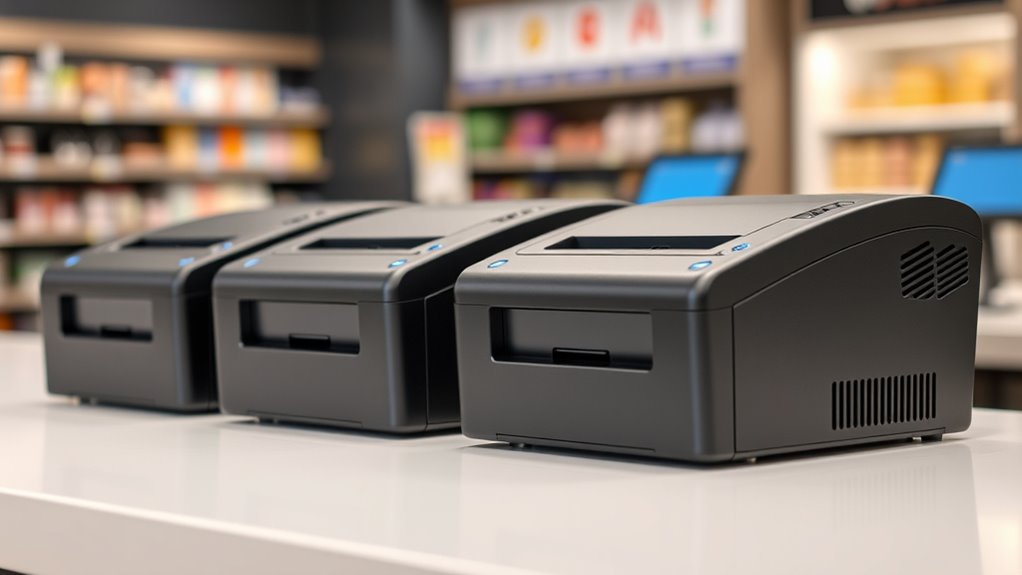

A thermal receipt printer with Ethernet can give a point-of-sale system a dependable wired network connection, but the right choice depends on your software, ports, and workload. I name the Star Micronics TSP143IIILAN my best overall pick for its Ethernet-focused setup and built-in cutter, while the Epson TM-T20IV stands out for its combination of Ethernet, USB, serial, and listed 310 mm/s printing speed. For cloud-oriented setups, the Star TSP143IVUE adds CloudPRNT, though its specialized connectivity may be more than a basic counter needs. The main tradeoffs are broad compatibility versus easier setup, and a feature-rich printer versus a simpler, lower-cost-style design. Read on for the full comparison and guidance on matching a printer to your POS environment.

Get kitchen staples and gadgets delivered free with Prime
- Fast, free delivery on millions of items
- Prime Video, Amazon Music and more included
- Member-only deals all year
Key Takeaways
- The Star TSP143IIILAN is the clearest Ethernet-first all-rounder in this group, pairing network connectivity with an auto-cutter and internal power supply.
- The Epson TM-T20IV has the broadest listed port mix among the leading picks, with Ethernet, USB, and serial connections plus a stated 310 mm/s speed.
- The Star TSP143IVUE is the specialist choice for cloud workflows because CloudPRNT and Android AOA support make it distinct from more conventional counter printers.
- Several lower-profile options also offer Ethernet and an auto-cutter, but listings provide less detail about software support and operating-system fit, so buyers should verify compatibility before ordering.
- Ethernet alone does not guarantee an easy installation: the POS application, network setup, command language, and included cables or power supply can matter as much as the printer’s port list.


| thermal receipt printer ethernet | Connectivity | Print speed | Dimensions | Warranty |
|---|---|---|---|---|
| Star Micronics TSP143IIILAN Et | Ethernet, USB | 43 receipts per minute | 5.6 x 8 x 5.2 inches | — |
| P80E Thermal Receipt Printer 8 | USB, Ethernet, RJ11 | 200 mm/s | 6.7 x 4.8 x 4.8 inches | 1-year limited warranty |
| Epson TM-M30 Thermal Receipt P | Ethernet, USB | 1 page per minute (as listed) | 7 x 5 x 5 inches | 2-year full warranty |
| Star Micronics TSP143IVUE USB/ | Ethernet, USB | — | — | — |
| Rongta RP850 80mm Thermal Rece | USB, Ethernet, serial | — | 5.71 x 7.87 x 5.59 inches | Limited |
| Epson TM-T20IV Thermal Receipt | USB, Ethernet, serial | 310 mm/s | 7.83 × 5.51 × 5.75 in | 3 years |
| Rongta POS Printer | — | 250 mm/s | — | — |
| Epson TM-T88VI Thermal Receipt | — | — | — | 90-day limited warranty |
| NetumScan 80mm POS Receipt Pri | USB, Ethernet | 300 mm/s | 5.5 × 7.5 × 7 in | 1 year |
More Details on Our Top Picks
Star Micronics TSP143IIILAN Ethernet Thermal Receipt Printer with Auto-Cutter and Internal Power Supply – Gray
I’d put the Star Micronics TSP143IIILAN near the top for a busy counter where Ethernet is the main connection and receipts need to keep moving. Its stated rate of 43 receipts per minute, drop-in loading, and auto-cutter are geared toward repeated transactions, while the internal power supply keeps the setup compact. Compared with the Epson TM-M30, this listing gives a more useful throughput figure for judging busy service, though the Epson includes USB alongside Ethernet and an Energy Star designation. The Star’s tradeoffs are its commercial focus and monochrome-only thermal output; it is more printer than a low-volume or occasional-use setup needs. The listed 559-watt power consumption is also a notable drawback to check against your operating requirements before choosing it.
Pros:- Ethernet connection supports a wired POS network setup.
- Rated for 43 receipts per minute.
- Drop-in paper loading and auto-cutter help keep routine receipt changes and cutting simple.
- Internal power supply and compact listed dimensions suit a crowded counter.
Cons:- Listed power consumption of 559 watts is high compared with the low-power figures supplied for some alternatives.
- Thermal output is monochrome only.
- Its commercial focus and throughput may be unnecessary for occasional printing.
Best for: Retail and hospitality counters that use a wired LAN POS setup and print receipts throughout the day.
Not ideal for: Home offices and low-volume sellers who do not need rapid receipt handling, or buyers who need color output or a small power draw.
- Connectivity:Ethernet, USB
- Print speed:43 receipts per minute
- Paper size:80 mm
- Maximum media size:83 mm
- Features:Drop-in paper loading, auto-cutter, internal power supply
- Dimensions:5.6 x 8 x 5.2 inches
- Weight:3.8 pounds
- Power consumption:559 watts (as listed)
Our verdict“Choose this Star when a busy wired POS counter needs fast, cut receipts, but skip it for low-volume use or power-sensitive setups.”
P80E Thermal Receipt Printer 80mm USB Ethernet RJ11 POS Printer
The P80E suits buyers who want one compact printer to connect to a wired POS, a USB device, and an RJ11 cash drawer. Its listed 200 mm/s speed and auto-cutter support steady receipt work, while the oil-resistant housing and RGB alerts are practical in a busy kitchen where staff need to notice printer status quickly. Compared with the Star Micronics TSP143IVUE, the P80E adds RJ11 and describes broad operating-system compatibility, while the Star lists CloudPRNT and Android AOA for more connected workflows. The P80E’s key limitation is that the supplied data says it is incompatible with cloud-based POS systems such as Square or Shopify, so buyers should verify software support before purchase. It also lacks Wi-Fi and Bluetooth, making it a fit for wired installations rather than flexible or mobile counters.
Pros:- Ethernet, USB, and RJ11 support a wired POS and cash-drawer arrangement.
- Listed print speed of 200 mm/s and auto-cutter suit regular service.
- Oil-resistant housing is intended for kitchen environments.
- RGB status alerts and audible alerts help staff identify printer status.
Cons:- The supplied product information says it is incompatible with cloud-based POS systems such as Square or Shopify.
- No Wi-Fi or Bluetooth for wireless or mobile installations.
- Requires thermal paper and cannot print in color.
Best for: Restaurant and retail operators with a compatible local POS who need Ethernet, an RJ11 cash-drawer connection, and a housing suited to kitchen conditions.
Not ideal for: Businesses relying on Square, Shopify, or wireless/mobile POS workflows, since the supplied information flags cloud-POS incompatibility and no Wi-Fi or Bluetooth.
- Connectivity:USB, Ethernet, RJ11
- Paper width:80 mm
- Print speed:200 mm/s
- Resolution:203 dpi
- Features:Auto-cutter, RGB status alerts, audible alerts, dual mounting
- Housing:Oil-resistant
- Weight:1.3 pounds
- Dimensions:6.7 x 4.8 x 4.8 inches
- Warranty:1-year limited warranty
Our verdict“Pick the P80E for a compatible wired restaurant POS that benefits from an RJ11 drawer connection and oil-resistant housing, not for a cloud-first or wireless setup.”
Epson TM-M30 Thermal Receipt Printer, Autocutter, USB, Ethernet, Energy Star, Black
I’d consider the Epson TM-M30 when a compact counter printer needs both Ethernet and USB, and energy efficiency is part of the buying brief. Its Energy Star designation and listed 7 x 5 x 5-inch dimensions make it a space-conscious alternative to the larger-feeling commercial setup represented by the Star Micronics TSP143IIILAN. It also includes an auto-cutter and a two-year full warranty in the supplied data. The tradeoff is that its listed speed of 1 page per minute is a poor fit for a busy receipt queue, and the listing’s A4 media specification is unusual for this category; I would verify supported receipt roll sizes and actual POS throughput before buying. Its strengths are connection flexibility and footprint, not clearly documented high-volume speed.
Pros:- Ethernet and USB allow a choice of wired POS connection.
- Energy Star designation appeals to buyers prioritizing energy efficiency.
- Compact listed dimensions suit space-limited counters.
- Supplied data lists an auto-cutter and a two-year full warranty.
Cons:- Listed speed of 1 page per minute does not support a confident high-volume recommendation.
- A4 maximum media specification is atypical for receipt printing and should be checked before purchase.
- Monochrome output does not support color printing.
Best for: Small retail or hospitality counters seeking a compact Ethernet-and-USB printer with an Energy Star designation and a stated two-year full warranty.
Not ideal for: High-throughput tills or buyers who need clearly specified fast receipt printing; verify the listed A4 media information against your receipt-roll needs.
- Connectivity:Ethernet, USB
- Print speed:1 page per minute (as listed)
- Resolution:203 x 203 dpi
- Maximum media size:A4 (as listed)
- Media handling:Thermal paper, A4 size (as listed)
- Features:Auto-cutter, Energy Star
- Dimensions:7 x 5 x 5 inches
- Warranty:2-year full warranty
Our verdict“Choose the TM-M30 for a compact, energy-conscious wired POS only after confirming its listed media and speed meet your receipt workload.”
Star Micronics TSP143IVUE USB/Ethernet Thermal Receipt Printer with Android AOA, CloudPRNT, Cutter, and Internal Power Supply
The Star Micronics TSP143IVUE is the strongest fit here for a buyer who wants Ethernet but also needs cloud-oriented tools rather than a basic local printer connection. CloudPRNT and Android AOA set it apart from the more connection-focused Rongta RP850, which offers Ethernet, USB, and serial but does not list cloud-management features. The Star also specifies 250 mm/s, 203 x 203 dpi, USB, and an auto-cutter, making its feature set better documented for a modern POS installation. Those capabilities come with a compatibility caveat: CloudPRNT and Android AOA only help if your POS and devices support them, and network setup still matters. The listing gives limited warranty detail, so buyers wanting a clear warranty term may prefer an alternative with more explicit coverage information.
Pros:- Ethernet and USB support wired network and direct-device connections.
- CloudPRNT and Android AOA provide options for compatible cloud and Android workflows.
- Listed maximum speed of 250 mm/s suits brisk receipt printing.
- Auto-cutter and easy paper loading reduce routine handling.
Cons:- Cloud and Android features depend on POS and device compatibility.
- Warranty details are not specified in the supplied product information.
- Monochrome thermal printing does not provide color output.
Best for: Retail and hospitality operators using compatible Android or cloud-connected POS systems who want Ethernet, USB, and printer monitoring features.
Not ideal for: Buyers with a basic POS that cannot use CloudPRNT or Android AOA, or anyone who needs a clearly stated warranty term or color printing.
- Connectivity:Ethernet, USB
- Maximum print speed:250 mm/s
- Print resolution:203 x 203 dpi
- Media size:3.15 inches
- Output:Monochrome
- Features:Auto-cutter, easy paper loading, Android AOA, CloudPRNT
- Power consumption:3.5 watts (as listed)
- Wattage:43 watts (as listed)
Our verdict“Choose the TSP143IVUE when your POS can use its cloud or Android features and you want fast Ethernet printing, but verify compatibility and warranty terms first.”
Rongta RP850 80mm Thermal Receipt Printer with Auto Cutter and Ethernet Interface
The Rongta RP850 is a practical choice when Ethernet is required but a POS may also need USB or a serial connection. That three-interface mix gives it more room to fit older or varied hardware than the P80E, which lists USB, Ethernet, and RJ11 instead. The RP850 also names compatibility with Windows, Mac, and Linux, supports ESC/POS, and can be wall-mounted—useful traits for shops building around existing equipment or trying to free counter space. Its tradeoffs are the lack of Wi-Fi and Bluetooth, plus a stated need for specific 80 mm or 58 mm paper sizes. The supplied speed and resolution figures are unusual for a receipt printer, so I would confirm the manufacturer’s documentation and driver support before treating those specs as reliable buying benchmarks.
Pros:- Ethernet, USB, and serial support several wired POS configurations.
- Listed compatibility covers Windows, Mac, and Linux.
- ESC/POS compatibility can suit POS software built around that command set.
- Wall-mount support can free up counter space.
Cons:- No Wi-Fi or Bluetooth for wireless installations.
- Requires 80 mm or 58 mm thermal paper sizes.
- Supplied speed and resolution figures warrant confirmation with the manufacturer or seller.
Best for: Small retailers and restaurants with Windows, Mac, or Linux POS hardware that need Ethernet plus USB or serial and may want wall mounting.
Not ideal for: Mobile-first businesses needing wireless printing, or buyers unwilling to confirm paper, driver, and performance details before setup.
- Connectivity:USB, Ethernet, serial
- Paper width:80 mm or 58 mm
- Print width:72 mm or 48 mm
- Maximum media size:80 mm
- Compatibility:Windows, Mac, Linux
- Features:Auto-cutter, wall-mount support, ESC/POS compatibility
- Weight:1.37 kg
- Dimensions:5.71 x 7.87 x 5.59 inches
- Warranty:Limited
Our verdict“Pick the RP850 for a wired shop that needs serial compatibility or wall mounting, but confirm its paper and performance specifications before committing.”
Epson TM-T20IV Thermal Receipt Printer C31CL47022, USB Ethernet Serial, 310 mm/s, Auto Cutter, 80mm Paper, Energy Star
The TM-T20IV is my strongest all-round pick here for a busy counter that needs Ethernet plus backup connection options. Its 310 mm/s output is the fastest listed in this group, narrowly ahead of the NetumScan’s 300 mm/s, which can help keep queues moving during rushes. USB and serial connections add flexibility when a POS setup changes or needs a direct link. Compared with the Rongta 80mm printer, the Epson also lists support for Android and iOS alongside Windows, which may suit mixed-device operations. The tradeoff is that it costs you flexibility in the paper department: it prints monochrome on thermal rolls only, and the cutter will need upkeep. I’d choose it for speed and platform range, not for wireless printing.
Pros:- 310 mm/s print speed is the fastest stated among these four options.
- Ethernet, USB, and serial interfaces offer several wired POS connection paths.
- Listed compatibility includes Windows, Android, and iOS.
- Compact dimensions and a three-year warranty suit fixed counter installations.
Cons:- No Wi-Fi or Bluetooth connection is listed.
- Monochrome thermal printing requires compatible receipt rolls.
- The auto cutter is a moving part that may need maintenance over time.
Best for: Retail and hospitality counters that want a fast Ethernet printer with USB or serial options and support across desktop and mobile platforms.
Not ideal for: Businesses that need Wi-Fi or Bluetooth printing, color output, or a printer that accepts non-thermal media.
- Print speed:310 mm/s
- Resolution:203 dpi
- Paper widths:80 mm and 58 mm rolls
- Connectivity:USB, Ethernet, serial
- Auto cutter:Yes
- Dimensions:7.83 × 5.51 × 5.75 in
- Weight:1.7 kg
- Warranty:3 years
Our verdict“Choose the TM-T20IV if Ethernet reliability, fast output, and multiple wired interfaces matter more than wireless connectivity.”
Rongta POS Printer, 80mm Thermal Receipt Printer with Auto Cutter, USB/Serial/Ethernet, Support Windows/Mac/Linux, ESC/POS Compatible
For a store running Linux or relying on ESC/POS commands, this Rongta offers a practical mix of Ethernet, broad OS support, and familiar POS command compatibility. That makes it a more natural fit for varied or custom systems than the Epson TM-T20IV, whose listed platform support does not include Mac or Linux. Its 250 mm/s speed is respectable for everyday checkout work, but it trails both the Epson TM-T20IV at 310 mm/s and the NetumScan at 300 mm/s, so I’d avoid it for a counter where every second of queue time matters. USB and serial are useful wired alternatives, though there’s no Wi-Fi or Bluetooth. Setup may also call for driver work, making this a better match for someone comfortable configuring a POS printer.
Pros:- Ethernet, USB, and serial provide three wired connection options.
- Supports Windows, Mac, and Linux.
- ESC/POS compatibility can fit established POS software and workflows.
- Auto cutter supports quicker receipt handoff at the counter.
Cons:- At 250 mm/s, it is slower than the Epson TM-T20IV and NetumScan in this group.
- No Wi-Fi or Bluetooth connectivity is listed.
- Driver installation and setup may take more effort than a simpler plug-in configuration.
Best for: Small retailers, restaurants, and integrators using Windows, Mac, or Linux POS systems that support ESC/POS and wired Ethernet.
Not ideal for: High-throughput counters prioritizing maximum listed print speed, or owners who want wireless setup and minimal driver configuration.
- Print speed:250 mm/s
- Resolution:203 × 203 dpi
- Print width:72 mm / 48 mm
- Paper widths:80 mm / 58 mm
- Interfaces:USB, serial, Ethernet
- Supported operating systems:Windows, Mac, Linux
- Weight:2 kg
- Auto cutter:Yes
Our verdict“Pick this Rongta when Linux, Mac, or ESC/POS compatibility matters more than the highest print speed or wireless convenience.”
Epson TM-T88VI Thermal Receipt Printer – Ethernet, USB, Serial Interfaces, Black with PS-180 Power Supply and AC Cable (Renewed)
The TM-T88VI’s clearest practical advantage is that the listing includes a PS-180 power supply and AC cable, alongside Ethernet, USB, and serial connections. That makes it worth a look for a buyer matching a replacement printer to an existing Epson POS setup. However, its listed speed of 1 page per minute is far below the 250–310 mm/s figures provided for the Rongta, NetumScan, and Epson TM-T20IV, so I would not select it for a busy checkout based on this data. The 90-day limited warranty also offers less coverage than the TM-T20IV’s three years. Since this is a renewed unit, I’d weigh the included power components against the shorter warranty and verify performance expectations before choosing it for daily high-volume work.
Pros:- Ethernet, USB, and serial support multiple wired POS configurations.
- PS-180 power supply and AC cable are included in the listing.
- 203 × 203 dpi resolution is specified for receipt output.
- The model may suit buyers matching an existing Epson TM-T88VI installation.
Cons:- The stated speed of 1 page per minute is much lower than the speeds listed for the other printers here.
- The 90-day limited warranty is shorter than the TM-T20IV’s three-year warranty.
- Renewed condition may be a poor fit for buyers seeking a new unit.
Best for: Epson POS owners seeking a renewed TM-T88VI with its specified power supply and AC cable, plus Ethernet and legacy wired interfaces.
Not ideal for: High-volume stores that need clearly stated fast receipt throughput or buyers who want a longer warranty and broader coverage.
- Model number:C31CE94061-cr
- Interfaces:Ethernet, USB, serial
- Print resolution:203 × 203 dpi
- Listed print speed:1 page per minute
- Power supply:PS-180
- Warranty:90-day limited warranty
- Media capacity:250 sheets
- Duplex printing:Simplex only
Our verdict“Consider this renewed Epson for a compatible existing setup with the included power supply, but choose a faster-listed model for busy service.”
NetumScan 80mm POS Receipt Printer 300mm/s USB Thermal Receipt Printer with Auto Cutter and Ethernet Interface
The NetumScan is a good fit when you want near-top listed speed and a wall-mount option without giving up Ethernet. At 300 mm/s, it comes close to the Epson TM-T20IV’s 310 mm/s, while its USB and Ethernet ports cover the main wired connections many POS counters need. Support for Windows, Mac, and Linux also gives it broader listed desktop compatibility than the TM-T20IV. The tradeoff is that its stated connectivity is narrower: no serial port is listed, and the product data flags incompatibility with Square POS, Uber Eats, and Shopify. I’d check compatibility with your exact POS software before ordering. Its wall-mount option can free counter space, but the stated 700-sheet capacity is unusual for a receipt-roll printer, so confirm the intended media details with the seller.
Pros:- 300 mm/s listed speed is close to the Epson TM-T20IV’s 310 mm/s.
- Ethernet and USB cover two common wired POS connections.
- Supports Windows, Mac, and Linux.
- Auto cutter and wall-mount option can suit busy or space-limited counters.
Cons:- The supplied product data flags incompatibility with Square POS, Uber Eats, and Shopify.
- No serial, Wi-Fi, or Bluetooth interface is listed.
- The stated 700-sheet capacity is unclear for an 80 mm receipt-roll printer and merits verification.
Best for: Retail or hospitality operators with a compatible Windows, Mac, or Linux POS system who want fast Ethernet printing and the option to mount the printer.
Not ideal for: Businesses using Square POS, Uber Eats, or Shopify, or buyers who need serial connectivity or confirmed compatibility with a specific POS platform.
- Print speed:300 mm/s
- Media type:Monochrome thermal
- Maximum media size:80 mm
- Connectivity:USB, Ethernet
- Supported systems:Windows, Mac, Linux
- Auto cutter:Yes
- Dimensions:5.5 × 7.5 × 7 in
- Warranty:1 year
Our verdict“Choose the NetumScan for fast Ethernet printing and wall mounting only after confirming that it works with your POS software.”

How We Picked
I ranked these printers around the needs implied by thermal receipt printer Ethernet: dependable wired network use, a practical POS feature set, and a realistic path to compatibility. I compared listed interfaces, cutter availability, print-speed information where supplied, paper width, power-supply details, and any stated support for operating systems, POS protocols, or cloud printing. A feature only counted as an advantage when it could help a buyer choose or deploy the printer; a long interface list, for example, is useful only when it matches the equipment and software already in place.
The top positions go to models with clearer connectivity and deployment benefits, not simply the longest specification list. The Star TSP143IIILAN ranks first as a straightforward Ethernet-focused package, while the Epson TM-T20IV earns a strong place for its multiple interfaces and stated speed. Specialized or less-documented models rank lower when buyers may need to confirm software support, cables, or configuration before purchase. I cannot infer unlisted compatibility or performance, so I treat those gaps as reasons to verify details rather than as proof that a printer will not work.
| thermal receipt printer ethernet | Connectivity | Features |
|---|---|---|
| Star Micronics TSP143IIILAN Et | Ethernet, USB | Drop-in paper loading, auto-cutter, internal power supply |
| P80E Thermal Receipt Printer 8 | USB, Ethernet, RJ11 | Auto-cutter, RGB status alerts, audible alerts, dual mounting |
| Epson TM-M30 Thermal Receipt P | Ethernet, USB | Auto-cutter, Energy Star |
| Star Micronics TSP143IVUE USB/ | Ethernet, USB | Auto-cutter, easy paper loading, Android AOA, CloudPRNT |
| Rongta RP850 80mm Thermal Rece | USB, Ethernet, serial | Auto-cutter, wall-mount support, ESC/POS compatibility |
| Epson TM-T20IV Thermal Receipt | USB, Ethernet, serial | — |
| Rongta POS Printer | — | — |
| Epson TM-T88VI Thermal Receipt | — | — |
| NetumScan 80mm POS Receipt Pri | USB, Ethernet | — |
Factors to Consider When Choosing Thermal Receipt Printer Ethernet
Choosing an Ethernet receipt printer is partly a network decision and partly a POS compatibility decision. Before comparing convenience features, I would confirm that the printer can communicate with the software and hardware already running at the counter.
Match Ethernet to Your POS Setup
An Ethernet port lets a printer join a wired local network, which can suit a shared counter or a fixed installation where cabling is available. It does not automatically mean every register, tablet, or cloud POS app can print to it. Check whether your software discovers network printers, needs a specific driver, or expects a particular printer command language. A common mistake is buying by connector alone, then finding that the POS device and printer cannot exchange print jobs without added configuration. If you plan to print from more than one workstation, ask whether the software supports sharing a network printer and how it handles outages or reassignment. Choose a simpler USB connection instead if the printer will serve one nearby computer and Ethernet adds setup work without a clear benefit.
Check Protocol and Operating-System Support
Compatibility is broader than whether a product listing names Windows, Mac, or Linux. Your POS application may depend on a specific driver, ESC/POS commands, or a vendor integration, and support can vary by operating-system version. Confirm the exact printer model and connection method with the POS provider before purchase, especially for Android devices or browser-based systems. A printer that supports multiple interfaces can be more flexible, but extra ports do not fix a mismatch in software protocols. For a replacement unit, compare the existing printer’s model, command mode, and paper format rather than assuming a new Ethernet printer will behave the same way. Keep written confirmation of compatibility when the checkout system is business-critical.
Decide Whether Speed and Cutter Features Fit Your Volume
Listed print speed can help distinguish busy-counter models, but the figure alone does not tell the full story of checkout pace. Job size, graphics, connection handling, and the time it takes staff to serve each customer also affect throughput. An auto-cutter reduces manual tearing and can keep a line moving, though it adds a mechanism that may need cleaning or service over time. A low-volume shop may gain more from straightforward setup than from a higher stated speed. For frequent printing, check whether the cutter is included, whether replacement parts are available, and what maintenance the manufacturer recommends. Avoid paying for performance features unless the workload makes the difference useful.
Plan the Network and Physical Installation
Before ordering, map the printer’s location to a router or network switch and confirm you have a suitable Ethernet cable route. A wired connection avoids relying on Wi-Fi at the printer, but it still depends on a healthy local network and a sensible address or discovery setup. Ask your IT support how the printer will be assigned and what happens if the router or network changes. Also check the printer’s footprint, paper-roll access, power requirements, and whether the listed power supply and cable are included. A compact counter can make rear cable access and roll replacement awkward even when the printer itself is small. Measure the intended spot and leave room for the lid and receipt output.
Compare Total Setup Effort, Not Just Port Counts
A printer with Ethernet, USB, and serial gives more connection options, but each option matters only if your POS equipment can use it. Confirm what is included in the box, since power supplies, cables, drivers, and configuration instructions can affect how quickly a unit is ready. For multi-register or remote workflows, cloud-printing support may be useful, but check whether it works with your particular service rather than assuming the feature is universal. Simpler models can be a better fit when the connection is fixed and the staff should not need to manage advanced settings. Premium or specialized features make more sense when they solve a defined deployment problem. I would compare the time and support needed to install each option alongside its hardware features.
Frequently Asked Questions
Will an Ethernet receipt printer work with any POS system?
No. Ethernet describes how the printer connects to a network, not whether a POS application supports that printer. The software may require a named driver, a compatible command language, or a supported integration. Check the POS provider’s printer list for the exact model and connection type before buying. If compatibility is unclear, ask the provider to confirm the model in writing rather than relying on a general claim that the printer supports your operating system.
Should I choose Ethernet or USB for a single checkout station?
USB is often the simpler choice when one computer sits next to the printer and your POS software supports a direct connection. Ethernet is more useful when the printer needs to sit away from the host, serve multiple supported devices, or remain connected through a wired network. A network connection can add configuration steps, including discovery and address management. Compare the actual layout and software workflow instead of treating Ethernet as an automatic upgrade. If you may expand to more registers later, confirm that your POS system can share the printer before paying for that flexibility.
Do I need an auto-cutter for an Ethernet thermal receipt printer?
An auto-cutter is convenient when staff print receipts frequently and need consistent, quick handoff at the counter. For occasional receipts, manual tearing may be adequate, and a simpler mechanism can reduce maintenance concerns. The cutter does not affect Ethernet compatibility, so it should be judged as a workflow feature rather than a network feature. Check that the cutter is explicitly included in the model you are ordering and ask about cleaning or service needs. If receipts include long itemized orders, also consider whether the paper format and cutter behavior suit your typical print jobs.
Is a listed print speed enough to predict checkout performance?
No. A speed figure is useful for comparison, but actual checkout time also depends on receipt length, logos or other graphics, driver behavior, and how the POS sends print jobs. The Epson TM-T20IV listing specifies 310 mm/s, while other listings do not provide an equivalent figure, so the available information is not a like-for-like speed test. For a busy store, ask the vendor how the model performs with your software and typical receipt format. For a modest workload, dependable compatibility and easy paper changes may matter more than the highest stated speed.
What should I verify before replacing an existing network receipt printer?
Record the current printer’s model, paper width, command language, network settings, and any driver or POS configuration in use. Then check that the replacement supports the same workflow, not just the same Ethernet connector. Confirm the power supply, cables, and mounting or counter-space needs, since these can differ between models. If the old printer uses a fixed network address, coordinate the replacement settings with whoever manages your network. A planned test with the POS system before the old unit is removed can reduce checkout disruption.
Conclusion
I would choose the Star Micronics TSP143IIILAN as the best overall for a buyer who wants a direct Ethernet-oriented setup with an auto-cutter and internal power supply. The Rongta RP850 is my best value-style pick for shoppers seeking an 80 mm Ethernet printer with an auto-cutter, though I would verify software and operating-system support before ordering. For a best premium or higher-flexibility choice, the Epson TM-T20IV combines Ethernet, USB, and serial with a stated 310 mm/s speed; the Star TSP143IVUE is the better specialized option when its CloudPRNT or Android AOA features match the deployment. I would point beginners toward the TSP143IIILAN when their POS provider confirms compatibility, since its feature set is easier to narrow down than a less-documented model. For specific needs, choose the Epson TM-T88VI if its renewed condition and interface mix suit your setup, or the Star TSP143IVUE for supported cloud-printing workflows. Before deciding, confirm the exact POS integration, included accessories, and network setup requirements.
NFL season / tailgating Picks
team gear
As an affiliate, we earn on qualifying purchases.