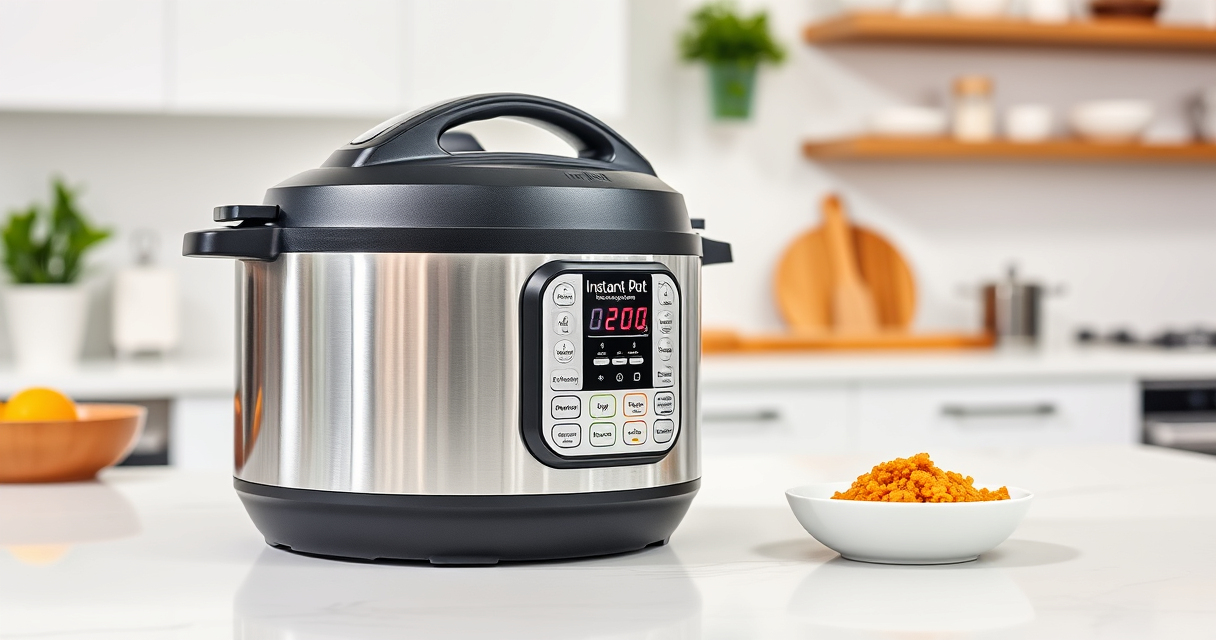

If your Instant Pot displays a burn error message, it can be frustrating and halt your cooking process. This guide provides practical, step-by-step solutions to identify causes and fix the issue safely. Understanding why this error occurs and how to resolve it can help you keep your pressure cooker running smoothly and prevent future problems.

Get kitchen staples and gadgets delivered free — and shop member deals
- Fast, free delivery on millions of items
- Access to Prime Big Deal Days deals on October 6–7
- Prime Video, Amazon Music and more included
Whether you’re new to Instant Pot or a seasoned user, these troubleshooting tips will help you get back to cooking quickly and safely.
Key Takeaways
| Common Cause | Food sticking to the bottom or insufficient liquid |
| Initial Fix | Release pressure, clean the bottom, and add more liquid |
| Prevention | Avoid overcrowding and use enough liquid |
| Safety Reminder | Always follow manufacturer instructions for safe operation |
Understanding the Burn Error
The burn error occurs when the Instant Pot detects that food is sticking or burning at the bottom during cooking. It often signals low liquid levels or food that is too thick or dense, which can cause overheating or pressure issues.
Step 1: Release Pressure Safely
- Turn off the Instant Pot and unplug it for safety.
- Allow the pressure to release naturally or perform a quick release if safe to do so.
- Open the lid carefully once all pressure has been released.
Step 2: Clean the Bottom of the Inner Pot
- Remove the inner pot and inspect the bottom for stuck food or residue.
- Gently scrub with a non-abrasive sponge and warm soapy water.
- Check for any damage or burnt spots that may need extra attention.
Step 3: Add Liquids and Adjust Ingredients
- Ensure there is enough liquid in the recipe—at least 1 to 1.5 cups, depending on the recipe.
- Stir ingredients to prevent thick layers from sticking to the bottom.
- If cooking dense foods, consider adding a bit more liquid or thinning the mixture.
Step 4: Restart and Monitor
After cleaning and adjusting ingredients, close the lid securely, set the cooking program, and start again. Keep an eye on the process to catch any further issues early.
The Products in This Guide

Instant Pot 4QT RIO Mini 7-in-1 Multi-Cooker
- ✔ Weight: 8.4 lbs
- ✔ Dimensions: 11 x 11 x 11 inches
- ✔ Warranty: 1-year coverage

AOZITA Steamer Basket
- ✔ Weight: 1.2 lbs
- ✔ Color: Silver
- ✔ Warranty: N/A
Instant Pot 4QT RIO Mini 7-in-1 Multi-Cooker
The Instant Pot 4QT RIO Mini 7-in-1 Multi-Cooker offers versatile cooking functions in a small, easy-to-store design. Its anti-spin feature helps prevent the burn error by keeping contents steady during sautéing and cooking.
Pros:
- 7-in-1 versatility
- Compact size ideal for small kitchens
- Easy to clean
- Modern design
Cons:
- Limited capacity for larger families
- May require careful liquid management
Best for: Small households, students, singles
Not ideal for: Cooking large meals or batch cooking for bigger families
Bottom line: A versatile, space-saving pressure cooker perfect for small kitchens and simple meal prep.
AOZITA Steamer Basket
The AOZITA Steamer Basket is a great addition for expanding your Instant Pot’s versatility. Its 2-tier design allows you to cook multiple foods simultaneously without mixing flavors, making it ideal for quick, healthy meals.
Pros:
- Stainless steel, durable build
- Two-tier design for multitasking
- Easy to clean
- Fits 6 and 8 qt models
Cons:
- May be bulky for small kitchens
- Requires careful stacking
Best for: Steaming vegetables, eggs, fish, or multiple dishes at once
Not ideal for: Cooking foods that require specific containers or delicate handling
Bottom line: A versatile steamer basket that maximizes your Instant Pot’s cooking capacity.
Frequently Asked Questions
What causes the burn error on my Instant Pot?
The burn error typically occurs when food sticks to the bottom, when there is insufficient liquid, or when ingredients are too thick or dense, causing overheating.
How do I prevent the burn error?
Ensure you add enough liquid, avoid overcrowding, and stir ingredients to prevent sticking. Using a suitable cooking vessel or accessory like a steamer basket can also help.
Is it safe to continue cooking after a burn error?
Yes, but only after troubleshooting. Release the pressure safely, clean the inner pot, and ensure proper liquid levels before restarting.
Can I use the Instant Pot with the burn error message showing?
It’s best to address the issue first. Continuing without fixing the problem can lead to further damage or safety risks.
Keep Cooking Safely & Efficiently
Dealing with a burn error on your Instant Pot can be straightforward once you understand the causes. Regularly checking liquid levels and cleaning the bottom of the inner pot can prevent many issues. Always follow safety guidelines, and don’t hesitate to troubleshoot quickly to get back to enjoying your favorite recipes.
Affiliate disclosure: As an Amazon Associate we earn from qualifying purchases. Prices and availability are accurate as of the time of publishing.
Halloween Picks
halloween
As an affiliate, we earn on qualifying purchases.