
To prevent faded or unreadable labels on your thermal printer, make certain you adjust settings like print speed, heat levels, and contrast to suit your paper type. Regularly maintain and clean the print head to avoid buildup and misalignment, which can cause poor print quality. Choosing the correct paper and calibrating your settings each time you switch media improves durability and clarity. Keep these tips in mind, and you’ll discover how to achieve consistently sharp, professional labels.

Get kitchen staples and gadgets delivered free with Prime
- Fast, free delivery on millions of items
- Prime Video, Amazon Music and more included
- Member-only deals all year
Key Takeaways
- Adjust print heat and speed settings to optimize ink transfer and prevent fading or faint images.
- Ensure the print head is clean and properly calibrated for consistent print quality.
- Select the correct paper type in printer settings—thermal or thermal transfer—to match your labels.
- Regularly perform maintenance and replace worn-out ribbons for better durability and readability.
- Use manufacturer-recommended settings and periodically recalibrate to maintain sharp, clear labels.
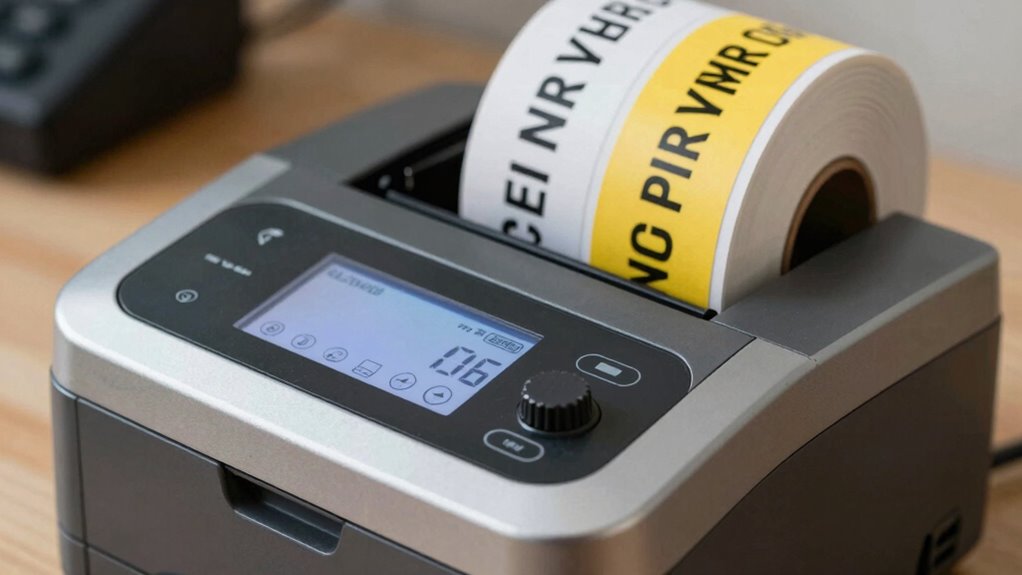
Thermal label printers have become essential tools for businesses that need quick, reliable, and cost-effective labeling solutions. When it comes to producing clear, durable labels, understanding print head maintenance is vital. Regularly cleaning the print head prevents ink buildup that can cause smudging or faded printing. Use manufacturer-recommended cleaning solutions and avoid abrasive materials to keep the print head in prime condition. This simple upkeep ensures your labels remain sharp and legible over time, saving you from costly replacements and reprints.
Regular print head cleaning ensures clear, durable labels and prevents costly reprints.
Another critical aspect is paper type selection. Not all label papers are created equal, and choosing the right one can markedly impact print quality. For thermal printers, you typically have two options: direct thermal and thermal transfer labels. Direct thermal paper reacts to heat directly from the print head, producing images without ink or ribbons, but it’s more sensitive to heat, light, and chemicals. Thermal transfer labels, on the other hand, involve a ribbon that melts onto the paper, creating durable labels ideal for outdoor or long-term applications. Selecting the appropriate paper type ensures your labels withstand environmental factors, maintaining readability and professionalism.
Proper paper type selection also influences print head performance. Using incompatible or low-quality paper can cause uneven heating, leading to faded or inconsistent prints. Always verify that the paper matches your printer specifications and intended usage. When upgrading or switching paper types, make adjustments in your printer settings accordingly to enhance print quality. Many printers allow you to set parameters like print speed and heat levels—tweaking these settings based on your paper choice can prevent issues like smudging or faint images.
In addition to proper paper selection, maintaining the print head is key to avoiding problems like faded labels. A dirty or misaligned print head can cause uneven heat distribution, resulting in unreadable labels. Regular maintenance, including cleaning and calibration, keeps the print head functioning smoothly. Regular maintenance is crucial to extending the lifespan of your printer and ensuring optimal print quality. This proactive approach minimizes downtime and reduces waste caused by printing errors.
Ultimately, combining diligent print head maintenance with careful paper type selection ensures your labels stay crisp, clear, and durable. It’s a simple yet effective way to avoid the frustration of faded, unreadable labels. By paying attention to these settings and upkeep routines, you’ll extend your printer’s lifespan, improve print quality, and ensure your labels always look professional and trustworthy. This attention to detail not only saves money but also enhances your business’s reputation for quality and reliability.
thermal label printer cleaning kit
As an affiliate, we earn on qualifying purchases.
As an affiliate, we earn on qualifying purchases.
Frequently Asked Questions
How Often Should I Calibrate My Thermal Label Printer?
You should calibrate your thermal label printer whenever you notice faded, unreadable labels or inconsistent print quality. Typically, calibration frequency depends on usage, but a good rule is to do it once a month or after changing label rolls. Proper printer alignment ensures maximum print clarity, so regular calibration helps maintain consistent results. Keep an eye on print quality and adjust calibration as needed to prevent faded labels.
What Is the Ideal Temperature Setting for Different Label Types?
You should set the temperature based on your label material and perform thermal calibration regularly. For paper labels, start with a temperature of around 120°C, while synthetic labels may need around 140°C. Adjust slightly if the print is faded or smudged. Remember, proper thermal calibration helps you find the right balance, ensuring clear, unreadable labels. Keep experimenting until you achieve ideal print quality for each label type.
How Do Humidity Levels Affect Label Print Quality?
Imagine you’re in a vintage print shop; humidity impact can really mess with your labels. High humidity causes moisture absorption, leading to smudged ink and reduced print clarity. Low humidity can cause static and paper curl, resulting in faded or uneven prints. To keep your labels crisp and clear, maintain consistent humidity levels—ideally between 40-60%. This guarantees your thermal printer performs at its best, delivering sharp, readable labels every time.
Can Changing the Printhead Improve Faded Label Issues?
Yes, changing the printhead can improve faded label issues. If your labels are fading, consider a printhead replacement to guarantee clear printing. Before replacing, try cleaning the existing printhead thoroughly, as dirt or debris can cause poor print quality. Regular printhead cleaning maintains peak performance, but if issues persist despite cleaning, a new printhead is likely necessary for sharper, more durable labels.
What Maintenance Steps Prevent Print Quality Deterioration?
You can prevent print quality deterioration by regularly performing printer cleaning, including wiping the printhead and rollers to remove dust and debris. Store labels properly in a cool, dry environment to avoid moisture or warping that can affect printing. Routine maintenance keeps your thermal printer in top shape, ensuring crisp, clear labels and reducing the chances of faded or unreadable print. Consistent care extends your printer’s lifespan and maintains high-quality output.
Conclusion
So, next time your labels fade faster than your patience, remember—it’s not magic, it’s just bad settings. Don’t blame the printer; blame your lack of attention. With a few simple tweaks, you’ll have crisp, unreadable labels that even Sherlock Holmes would struggle to decipher. Who knew that perfect print quality was just a few minor adjustments away? So go on, tinker happily—your labels deserve a makeover, not a mystery.
Halloween Picks
halloween
As an affiliate, we earn on qualifying purchases.